Курсы Java онлайн
Здесь ты станешь программистом
Ты научишься программировать. Не важно, сколько тебе лет и какой у тебя багаж знаний. Программирование, как и езда на велосипеде — это навык: поэтому важна практика. Считай, что курсы Java разработки от JavaRush — это твой “велотренажер”. Тренируйся писать код на Java онлайн: в своем темпе, с практикой с первых уроков. Кодить — не страшно! Просто начни.
4 400+ отзывов
трудоустроенных
выпускников
выпускников
О курсе
Что ты получишь на курсах
по Java от JavaRush?
Тебя ждет увлекательный опыт обучения программированию
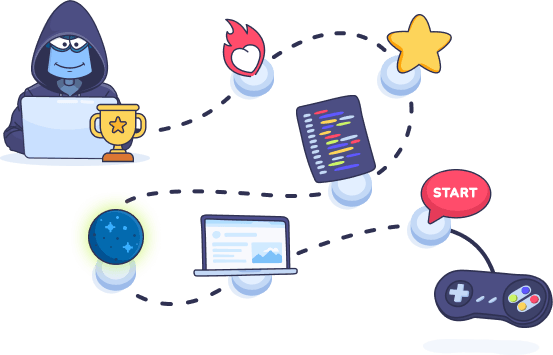
JavaRush — это не просто курсы по Java, это игра. Ты прокачиваешь “игрового персонажа” до новых уровней и зарабатываешь ачивки. Ты изучаешь основы Java онлайн и тут же закрепляешь новые знания на практике. С первых уроков ты получаешь заряд мотивации, чтобы достичь цели: стать профессиональным разработчиком.
Начало
Зарегистрируйся, чтобы получить доступ к курсу по Java, настроенному под твои предпочтения к формату занятий
Обучение
Читай мини-лекции по программированию на Java: учить новую теорию порциями гораздо легче
Практика
Решай задачи и сразу получай результат — здесь онлайн-обучение Java основано на усиленной практике
Старт карьеры
Пиши проекты для портфолио и изучай материалы о том, как подготовиться к началу работы в IT
Особенности
Как курсы программирования на Java помогут тебе стать разработчиком?
Формат обучения
Выбери удобный для тебя
формат обучения
формат обучения
Самостоятельное обучение
Java курсы со свободным графиком обучения: с лекциями (текстовыми, видео) и задачами по написанию кода — от простых программ до серьезных проектов для портфолио
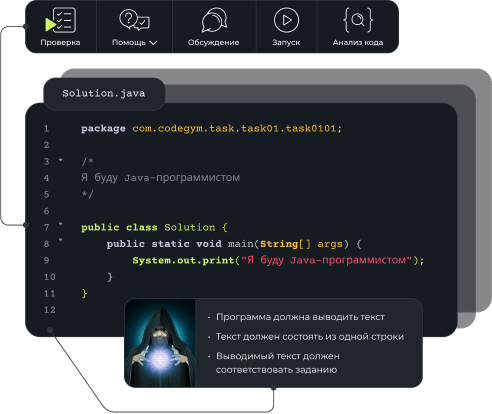
Мгновенная проверка твоих решений
Умные подсказки по решению задач и улучшению стиля кода
Работа с профессиональными инструментами программиста с первых занятий
Поддержка сообщества и команды разработчиков курса: разделы “Помощь”, “Чат” и “Форум”
Возможность заниматься на ПК и в мобильном приложении
Обучение с нуля на Java-разработчика: опыт работы с технологиями, которые нужны для резюме программиста
Ачивки за успешное обучение на курсе и рейтинги пользователей для поддержания твоей мотивации
Групповое обучение с ментором
Получение профессии Java-разработчика в рамках группового обучения с наставником
Онлайн-курсы по Java разработке, которые включают разбор основ программирования, углубленное изучение Java, а также инструментов разработки и фреймворков, необходимых для получения первой работы
Онлайн-занятия с опытными менторами-разработчиками 2 раза в неделю
Домашние задания с автоматической проверкой и большие итоговые проекты по написанию кода
Ежедневная поддержка и консультации от менторов и кураторов курса в закрытом чате
По завершении курса — сертификат, подтверждающий знания и квалификации для того, чтобы стать Java программистом, помощь в составлении резюме и подготовке к собеседованиям
Перспективы Java
Почему изучение Java — лучший выбор для новичка?
Java открывает безграничные возможности для карьеры в tech-сфере

Зарплаты Java-разработчиков — всегда в топе среди IT-специалистов. Медиана — $3000+ в месяц. Наш Java курс подготовит тебя до уровня Junior+ разработчика и позволит претендовать на $1000+ со старта.

Практически каждой компании, особенно — большим бизнесам, нужен Java-разработчик: обучение не будет “легкой прогулкой”, но после него ты сможешь работать в e-commerce, fintech, и других крупных индустриях.

У программистов на Java обучение новым технологиям не заканчивается: разработчики языка постоянно добавляют новые фичи, чтобы Java-разработчики всегда были востребованы в современных проектах.
Зарегистрированных
пользователей
пользователей
Решенных
задач
задач
30K+
Трудоустроенных
выпускников
выпускников

Отзывы
Что говорят об обучении
студенты и выпускники
студенты и выпускники

С JavaRush я познакомилась, когда мне было 43 года. На самом деле искала не Java курсы для начинающих, а платформу для изучения Python. Но мне подошел стиль обучения здесь: я начала решать бесплатные задачи, и меня затянуло. На тот момент я уже 5 лет работала в банке: руководство, узнав, что я изучаю Java, предложило мне должность разработчика.
Читать историю 
Я работал в банковской службе безопасности. В моей компании объявили программу переподготовки на Java, и я на нее поступил. Но полученных знаний было недостаточно для смены карьеры. На нескольких собеседованиях мне сказали, что есть такие Java курсы онлайн как JavaRush, которые помогут мне подтянуть знания. Так я начал свое обучение здесь.
Читать историю 
Я работал с клиентами в компании, связанной с гостиничным делом. Потом перешел в отдел продукта, на тестирование мобильных приложений. Постепенно понял, что писать код интереснее, чем тестировать, и решил освоить программирование. Я уже знал о JavaRush, поэтому прошел половину обучения, прочитал пару книг и пошел в Android-разработку.
Читать историю Наши выпускники
Где работают выпускники JavaRush


























И еще более 700 не менее крутых компаний
Присоединяйся к глобальному Java‑сообществу:
Здесь становятся программистами