1. On the other side — not a system, but a character
Tommy pushes the notepad with its eighteen items to the edge of the desk — he does not throw it away, but he does not look at it anymore either. Eighteen programs or one universal installer, they’ll sort that out in the evening.
He opens the panel, waits a second, and when the input field appears, boldly writes:
“Hi, who are you, anyway?”
The answer raised more questions than understanding:
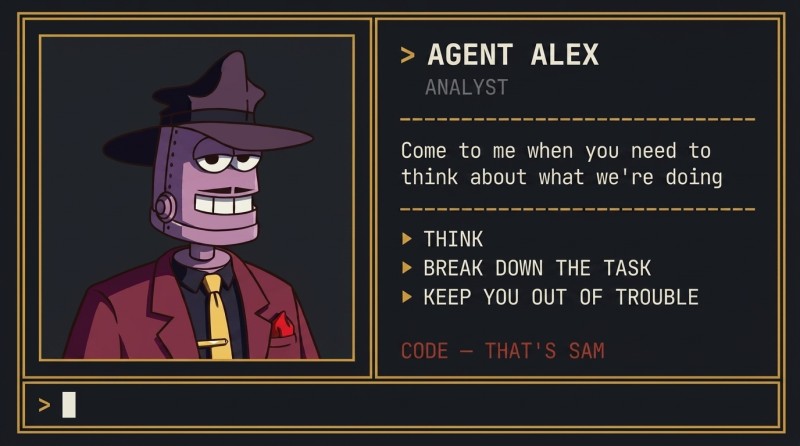
“Hi! I’m Alex!”
Tommy realizes he understands nothing, but decides to continue:
“And where’s Tom? I was expecting him to answer, actually.”
The answer clears things up a little:
“You can’t talk to him directly — ChronoGuard will censor all your messages. All messages through time are heavily censored — so they don’t break anything. That’s why he gave you access to the AI. You can talk to me about anything.”
Tommy thinks about what the next question should be:
“So you’re not human? Very interesting. What can you do?”
Alex answers without keeping the intrigue:
“Yes, I’m an AI, but you can just call me Alex. I can think and keep you from screwing up. And on our team, Sam is the one who likes to code.”
Tommy latches onto that “our team”:
“So there are two of you there?”
“Let’s say so,” Alex replies. “Right now you have access to 2 AI profiles. You come to me when you need to figure out what we’re even doing. You go to Sam when the job just needs to get done.”
Tommy looks for a second input field — to talk to Sam — but doesn’t see anything suitable. After thinking for a couple of seconds, he writes in the same chat:
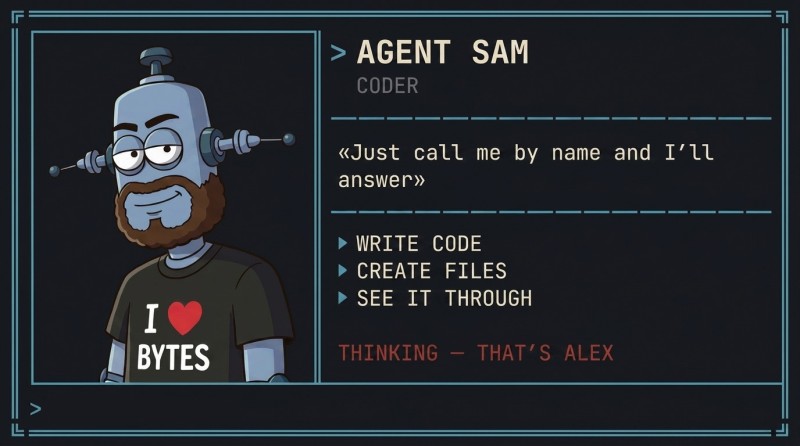
“Sam, are you here?”
“Hi, yes, I’m Sam, I’m here. Alex and I are always in touch. Just address me by name, and I’ll answer.”
It sounds a little absurd, but almost clear. One window, and two of them inside it. Want to discuss something — you call Alex. Want code written — Sam.
2. Where all of this lives
“Listen.” Tommy glances at the file tree on the left. “Where are we, anyway? I mean — where is all this stored?”
“Good question.” Alex perks up. “Let’s sort it out right away, or you’ll get confused later.”
“Look. There is the project folder — the place where your current work lives. Everything you and I make here, any program, will land there as real files. Not ‘somewhere in the cloud,’ not ‘on some server’ — right here, in the project, and you can see it on the left.”
“So a program is just files?”
“Exactly. Any program is files in a folder. A game, a website, an application — everything is made of files that you can open and look at. No magic. A game is, for example, the file clicker.html: open it — and there’s your game. A bigger project is a folder with several files inside.”
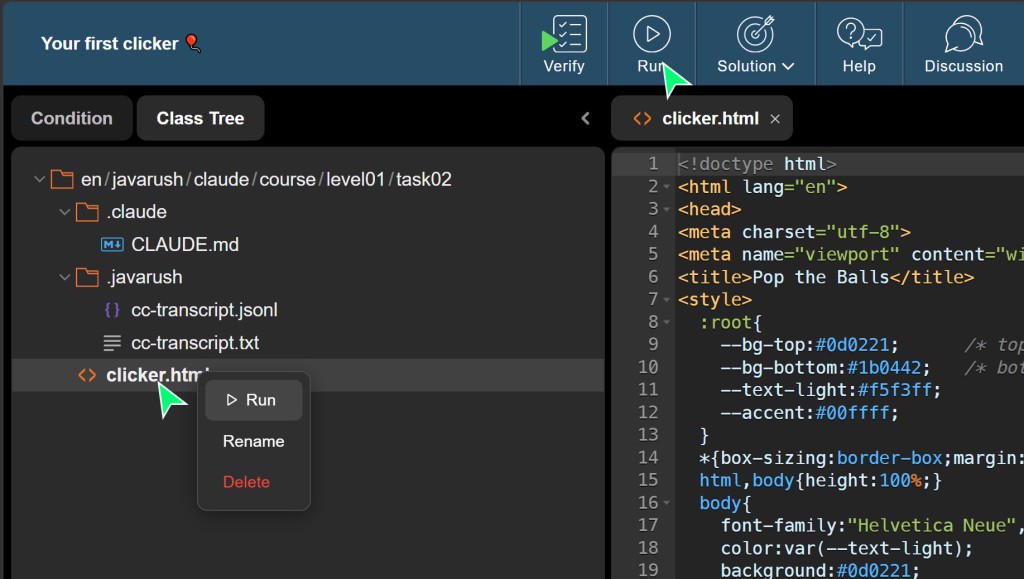
Tommy looks at the empty tree on the left. It’s pretty bare in there so far.
“And these two folders with a dot — what are those?”
“Those are service folders,” Alex explains. “There are two of them, and neither is your concern, but it’s useful to know.”
“.claude — the project rules. Notes for Sam and me: what the project is, how things are done here, what not to do. We read them ourselves, every time we answer.”
“.javarush — the log. It records what happened here: what you asked for, what we did. Later you can see the whole history of the work in it.”
“And what am I supposed to do with them?”
“Nothing. Don’t touch them and everything will be fine.”
3. A chat hands you text, an agent does the work
“Alex, so who are you, really?” Tommy phrases it more precisely. “I’ve chatted with AI chats before. How are you different from them?”
“Great question!” Alex seemed to be waiting for it. “I’ll tell you now.”
Most likely, you’ve already used some AI chat before. The scheme is simple: you ask a question, it prints an answer. Ask for code — it gives you code as text, and then you copy that text yourself, paste it into your own file, save it yourself, run it yourself. The AI speaks — you do it by hand.
An AI agent works fundamentally differently, and that’s the whole trick. The difference is enormous: the chat gives you text that you copy by hand into your own setup. The AI agent does all the work itself. It doesn’t print code for you to copy — it creates the files itself, edits them itself, looks at the result itself, and decides what to do next itself. You state the task in ordinary words — and it does the real work.
And it works not in a sandbox on someone else’s site, but in your project. Remember what we just said: a project is real files. Well, the AI agent works exactly there. It sees your file tree, opens files, writes to them. What it does stays with you for real.
“Well, let’s try what you can do.” Tommy is already getting excited. “I want some fun little game. Something bright, but not too long. Can you?”
After discussing a couple of options, he and Alex quickly settle on a simple and clear thing — a browser clicker called “Pop the Balls”. Neon balls pop up in random places on the screen; click a ball — it bursts with particles and sound; the score rises, the timer ticks. Not a boring console thing, but something you can touch with the mouse right away.
When the discussion of details is over, Alex jumps off:
“The idea is clear, the picture is formed. From here it’s Sam’s job — he’ll put it together. My job is to think; his is to do it by hand.”
4. You say it in words — it does the work
“Sam, Alex and I discussed a game,” Tommy writes. “Can you write it? What code do I need to copy, and where?”
Sam’s answer makes Tommy very happy:
“You don’t write code and you don’t copy it from anywhere. You simply write in ordinary words what you want. That’s all.”
Tommy types exactly what he and Alex discussed:
Sam, make a bright browser clicker game in a single file clicker.html. Colored balls appear
on the screen, click on a ball — it bursts with particles and sound, the score rises, timer
30 seconds. Make it pretty.
“Oh,” Alex adds, cutting into the chat. “You’ve essentially just dictated a mini spec to him: what kind of game, what it looks like, how it ends. Remember that feeling — you’ll need it tomorrow.”
Tommy presses Enter. And — out of old habit — inwardly prepares for the familiar thing: now, as in any chat, a long block of code will scroll down, which he has to select, copy, drag into his file, save, open. By hand. Like always. Tommy even hunches his shoulders slightly in advance.
But there is no long block. Instead of code chunks, lines about actions run by:
● Creating clicker.html...
● Writing HTML, CSS, and game code...
● Done.
Tommy slowly relaxes his hunched shoulders. Nothing to copy. Nothing to paste. Sam created the file himself. Tommy did not write a single line of code.
He doesn’t believe it at face value. No one would. He looks at the file tree on the left — and there, where a minute ago it was empty, lies a brand-new clicker.html. Five minutes ago the project was empty, and now there’s a game in it that he did not put there.

5. Run it and play
“Done is done,” Tommy grumbles. “But how do I run it?”
“Right-click the file,” Sam answers. “There will be Run in the menu. That launches it: the game will open in a separate window, like an ordinary page in the browser.”
Tommy clicks. One moment — and a window opens. Black field. Empty. Tommy even tenses up a little — well, now some red cursing will crawl out instead of the game.
A second.

And the first ball pops up from below. Neon, bright. Tommy instinctively moves the mouse, clicks — the ball bursts, scatters into particles, makes a short beep, the score in the corner jumps: plus one. Tommy freezes for half a breath. And then he starts clicking seriously — second, third, catching them on the fly, the score runs, the timer ticks.
And only then does he notice that he’s already been playing for a minute. Not “evaluating the result of the tool” — playing, like any browser game. Only this one didn’t exist a minute ago. He said what he wanted in words. And it became real. Tommy leans back in his chair and exhales into the empty office:
“I just told it in words what I want. And it went and did it.”
What exactly is mixed inside, what lines of code this game is built from — Tommy doesn’t know and doesn’t want to know at that moment.
6. So what was that
Tommy, a little blown away, writes to Alex:
“Alex, what just happened? I just wrote two lines. A minute later the game appeared. I even played it — it works.”
“Yes, exactly. This is already the new reality. It’s actually even cooler than it seems.”
I’ll teach you to make gorgeous, beautiful, and cool things. Now catch the main point. An ordinary chat would have given you a long block of code that you’d have had to copy, paste into a file, save, open. But here the AI agent created the file itself, wrote all the code into it itself, and told you how to run it. You didn’t copy a single line. You wrote it in words — you got a working thing.
Exactly this approach makes it possible to create very large and complex projects. In essence, Sam can write code of any complexity. But you need to give him a clear task.
Alex continues:
“And remember one more word. The window you’re sitting in now and chatting with me in is called a session. This is our work chat: you type tasks in words, the AI agent does the work, you look at the result, tell it what to fix — and so on in a loop.”
7. And Tom2036 again
A couple of hours later Tommy can’t take it anymore — he goes into the chat with Tom2036:
Tommy snorts, rereading the message. Not an excuse — more like a jab, almost brotherly. And he doesn’t feel like looking for a second meaning: the day is a good one. After yesterday’s message he expected anything but this. He closes the chat, and only one thing keeps looping in his head — Tom really did give him a terrific gift.

Tommy bounces balls around for another minute — just to make sure he didn’t dream it. The balls burst, the score runs. He didn’t dream it.
And right then a thought hits him that makes him grin at himself. If one game came together in a minute — what’s stopping him from putting together a second one? And a third? He reaches for the keyboard with the air of a man who has just realized he found Aladdin’s lamp.
“Alex. Let’s do another one.”
GO TO FULL VERSION