1. Introduction
Sometimes it feels like a string and a number are just “the same thing in different outfits”. But Go is a strict language: if a variable is of type int, it is a number for computations; if it is string, it is text. At the input/output boundary, there is almost always a moment when a number must be shown as text, or conversely, text must be turned into a number to compute something.
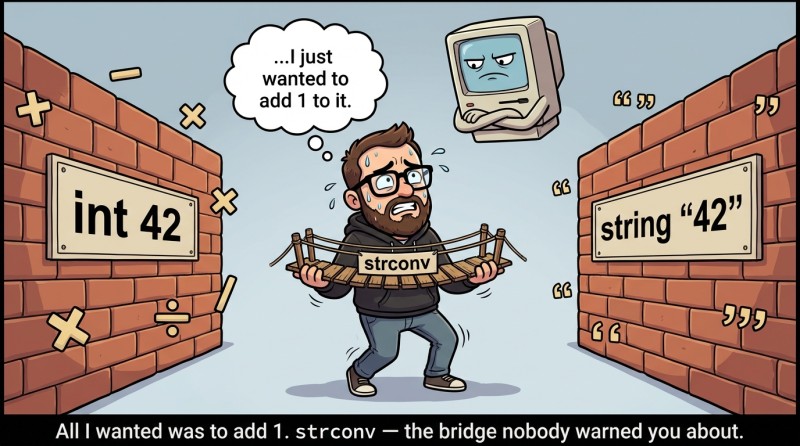
The most common scenario in problems: input data arrives “as text”, even if semantically it is a number. For example, you read a value as a string (or it is already stored in a string), and then you need to compute n+1, find a remainder, check divisibility, and so on. And the other way around: you computed an int, but you want to build a nice string "ID=" + ??? — here concatenation with a number does not work, because + cannot automatically turn an int into a string.
To avoid trying to “persuade the compiler”, we will do explicit conversions via the standard strconv package.
The strconv package: Atoi and Itoa
When you see the name strconv, you can mentally expand it as string conversion. It contains many useful functions, but today we are interested in two of the most “teaching-friendly” and most commonly used in problems: strconv.Atoi and strconv.Itoa.
There is a fun historical detail: Atoi is short for “ASCII to integer” (from the days when a string was viewed as a set of ASCII characters). Itoa is “integer to ASCII”. In the modern world, this is simply “string ↔ integer”, but the names remained as a greeting from the past.
The main idea is simple:
- strconv.Atoi(s) takes the string s and tries to make an int out of it;
- strconv.Itoa(n) takes the number n of type int and makes a string.
And it is very important: Atoi may fail, so it returns not one value, but two: the number and an error.
2. strconv.Atoi: string → number
In Go, many operations that can “fail” return not exceptions, but an additional result — an error. This is part of the language philosophy: errors are ordinary values; you can store them in a variable and pass them along. In real Go code, most often the error is compared with nil and a decision is made (usually via if err != nil { ... }) — this style is discussed as the standard and is used everywhere.
But for this introductory lecture we have not studied if/else yet, so we will do the most straightforward “beginner” version: print err and see what is inside.
Let’s look at a basic example with a valid string:

package main

import (
	"fmt"
	"strconv"
)

func main() {
	s := "42"
	n, err := strconv.Atoi(s)

	fmt.Println("n =", n)     // n = 42
	fmt.Println("err =", err) // err = <nil>
}
Here <nil> means: “no error”. It is literally the “nothing” value for errors.
Now let’s look at a string that looks almost like a number, but “ruins everything with one letter”:
package main

import (
	"fmt"
	"strconv"
)

func main() {
	s := "42x"
	n, err := strconv.Atoi(s)

	fmt.Println("n =", n)     // n = 0
	fmt.Println("err =", err) // err = strconv.Atoi: parsing "42x": invalid syntax
}
Notice the tricky detail: n became 0. This is not a “computed result”; it is just the default value you got because the conversion failed. The real signal is in err.
error and nil: what exactly you are printing
In everyday life we are used to: “if it broke — there will be a crash”. In Go, more often it is: “if it broke — you will get an err, and you decide what to do”. That is why Atoi returns the pair (n, err).
error is the type used for error messages. In a simplified form, you can think of it like this: if err equals nil, then everything went well; if err is not nil, then it contains a description of the problem. This model is very similar to what you have already seen with fmt.Scan, which also returns err.
And yes, in Go it is indeed customary to check an error by comparing it with nil — it is so widespread that it is its own cultural layer in the language. But since we have not covered branching (if) yet, today it is enough to learn at least to see the error, print it, and understand what it means.
3. Typical parsing errors with Atoi
When a beginner sees an error from Atoi for the first time, it often feels like: “But I wrote almost a number!”. Unfortunately, computers do not value “almost”; they value “exact”. So it is useful to know in advance a few typical reasons why Atoi may return an error.
Extra characters: letters, currency symbols, units
The most obvious reason: the string contains something other than digits (and an allowed sign +/-). The string "12kg" is understandable to a human, but not to Atoi.
package main

import (
	"fmt"
	"strconv"
)

func main() {
	s := "12kg"
	n, err := strconv.Atoi(s)

	fmt.Println(n)   // 0
	fmt.Println(err) // strconv.Atoi: parsing "12kg": invalid syntax
}
Spaces and “dirty input”: " 12" and "12 " are not the same as "12"
A very common pain point is spaces. It may seem that spaces “do not matter”, but for parsing they do: Atoi is not obliged to be a telepath and guess what you “meant”.
package main

import (
	"fmt"
	"strconv"
)

func main() {
	s := " 12"
	n, err := strconv.Atoi(s)

	fmt.Println(n)   // 0
	fmt.Println(err) // strconv.Atoi: parsing " 12": invalid syntax
}
At the same time, do not confuse this with fmt.Scan: Scan reads values while skipping spaces between them. But if the space is already inside the string, Atoi treats it as part of the string.
Empty string: when you try to turn “nothing” into a number
An empty string "" is not a number either. Sometimes it appears due to input mistakes or because you test code “by hand”.
package main

import (
	"fmt"
	"strconv"
)

func main() {
	s := ""
	n, err := strconv.Atoi(s)

	fmt.Println(n)   // 0
	fmt.Println(err) // strconv.Atoi: parsing "": invalid syntax
}
Signs + and -: allowed, but be careful
Plus and minus are allowed if they appear at the beginning and are followed by a valid number.
package main

import (
	"fmt"
	"strconv"
)

func main() {
	s := "-10"
	n, err := strconv.Atoi(s)

	fmt.Println(n)   // -10
	fmt.Println(err) // <nil>
}
But if you write something like "--10" or "+-10", it will again be invalid syntax.
Number too large: “it fits in the string, but not in int”
This is less obvious for beginners: a string can be arbitrarily long, but int has a limited size. If the number does not fit in an int, Atoi will return an error. In educational tasks this happens less often, but it is useful to know: “not everything that looks like a number fits into the type”.
4. strconv.Itoa: number → string
If Atoi is needed for computation, then Itoa is needed for text. The most common reason: you want to build a string using +, and a number is part of it. For example, you want to make "next id = " + ???.
Here is the correct version using Itoa:
package main

import (
	"fmt"
	"strconv"
)

func main() {
	nextID := 101
	msg := "next id = " + strconv.Itoa(nextID)
	fmt.Println(msg) // next id = 101
}
Now an important trap that is very easy to fall into: you must not expect string(nextID) to produce "101". That conversion turns a number into a single character by its code point (this is a separate topic, but for today it is enough to remember: “do not do this”). Within this course, keep the rule simple: if you need a number as text, use strconv.Itoa.
Another practical approach for a beginner (and it is perfectly fine) is not to concatenate at all, but to print using multiple arguments:
package main

import "fmt"

func main() {
	nextID := 101
	fmt.Println("next id =", nextID) // next id = 101
}
But as soon as you need an actual string (for example, to store it in a variable, concatenate it, pass it somewhere), Itoa becomes indispensable.
5. Mini app: read, parse, compute
So the topic does not remain theory only, let’s make a micro-scenario that looks like a piece of a future CLI app: we read an identifier as a string (as if it came from input), turn it into a number, compute the next ID, and print the result in a “human-friendly” form.
This is intentionally a simple template: no branching and no loops — only what we already have.
Version “see the error with your own eyes”
package main

import (
	"fmt"
	"strconv"
)

func main() {
	// read: read ID as a string (for example: 100)
	var idStr string
	fmt.Scan(&idStr)

	// parse: try to convert the string to int
	id, err := strconv.Atoi(idStr)

	// compute: compute the next ID (if err is not nil, id will be 0)
	nextID := id + 1

	// print: print everything, including err, to understand what happened
	fmt.Println("id =", id)         // for example: id = 100
	fmt.Println("nextID =", nextID) // for example: nextID = 101
	fmt.Println("err =", err)       // <nil> or error text
}
This program is very honest: if you enter 100, you get a normal result. If you enter "100x", you still see output, but err shows that the data is not valid. Yes, nextID will become 1, because id turned out to be 0 — and that is exactly a great lesson: you cannot ignore an error “out of habit”.
Add Itoa to build a string “like in logs”
Sometimes you want to build the entire string — for example, for a single nicely formatted message.
package main

import (
	"fmt"
	"strconv"
)

func main() {
	var idStr string
	fmt.Scan(&idStr)

	id, err := strconv.Atoi(idStr)
	nextID := id + 1

	line := "created task #" + strconv.Itoa(nextID)
	fmt.Println(line)         // created task #101
	fmt.Println("err =", err) // <nil> or error
}
In platform problems, you often are not allowed to print extra words. But in learning code, such strings are useful: they help your eye understand what is happening.
6. Cheat sheet for Atoi and Itoa
So you do not have to keep everything in your head “on faith”, it is useful to record the difference in one place. Not as a list, but as a mini table that is easy to reread before solving a problem.
| Function | Direction | Returns | When it “fails” |
|---|---|---|---|
|
|
|
When the string is not a valid representation of an integer, or the number does not fit into |
|
|
|
Never (under normal conditions), because any |
The point is that Atoi is an “attempt to parse”, while Itoa is a “guaranteed conversion for output”.
7. Typical mistakes with string ↔ int
Mistake #1: expecting Go to “guess” that a string is a number.
Beginners often write something like n := "10" and then try to do n + 1. In Go this is impossible because types are strict: a string is text, not a number. You must explicitly call strconv.Atoi and get an int; otherwise the compiler will not let you through (and that is good: fewer surprises).
Mistake #2: ignoring err from Atoi and continuing as if everything is fine.
If parsing fails, n usually becomes 0, and further calculations turn into “math from a parallel universe”. Today we printed err so we could at least see the problem. In real Go code, people usually compare err with nil and do an early exit or report an error — that is a core idiom of the language.
Mistake #3: confusing spaces “between values” and spaces “inside a string”.
fmt.Scan really does skip spaces and line breaks between tokens, so input like 12 34 (even with multiple spaces) is read normally as two values. But if a string already contains spaces (for example, you formed it somewhere as " 12"), Atoi treats the space as a character and may return invalid syntax. That is why “string cleanliness” matters for parsing.
Mistake #4: trying to use string(n) instead of strconv.Itoa(n).
Intuition suggests that string(123) will produce "123", but it will not. That conversion works at the level of “character code”, not “decimal representation of a number”. For text like "123", use strconv.Itoa, or print the number as a separate argument via fmt.Println.
Mistake #5: mixing concatenation with + and printing via fmt.Println, and getting strange type errors as a result.
If you just want to print "Age:" and a number, the simplest is fmt.Println("Age:", age). But if you are specifically building a string with +, then all parts must be strings, and the number must be converted to a string in advance via strconv.Itoa. The error often comes precisely from trying to concatenate a string and an int directly.

GO TO FULL VERSION