1. Why Go checks err so often
When you write a program, the world starts throwing banana peels at it. The user types the wrong thing. The file is not found. The number is too large. Water is wet, and input is mean. In Go, the convention is not to sweep these situations “under the rug”, but to handle them right where they happen with a short, clear check.
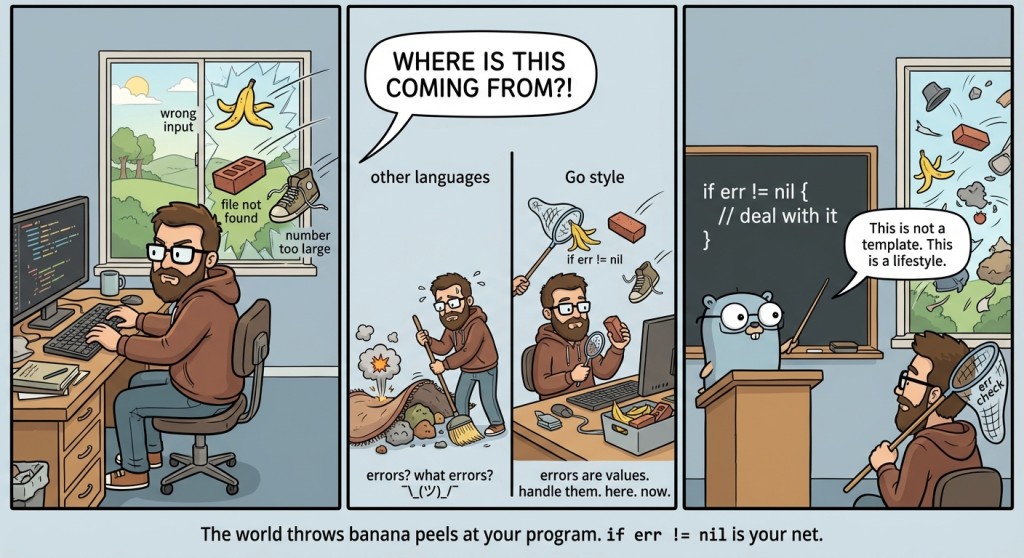
That is why the construct if err != nil { ... } appears constantly in Go code: it is not a “checkbox template”, but a way to keep the program in a sane state. In the official Go materials, this is described as the basic style: errors are values, and you work with them explicitly, without magic.
error and nil: a simple model
Right now we do not need to dive into how interfaces work or how the error type is implemented “inside”. We need a practical model at the level of “I can write programs and not cry”. In Go, many functions return error, and this value is either nil or not nil.
If err == nil, it means “no error, everything is fine”. If err != nil, it means “something went wrong; you cannot pretend everything is fine”. This check is the most common way to know whether an operation succeeded. This is stated directly in introductory materials about Go errors: the most basic check is to compare an error to nil.
Mini demo: an error is a value, so you can print it.
package main

import "fmt"

func main() {
	var err error
	fmt.Println(err == nil) // true
}
Yes, this looks too simple. But that simplicity is like a seat belt: it does not make the ride more fun, but it saves you when something “hits”.
2. Input vs parsing errors: Scan and Atoi
Up to this point, it might seem that input and conversions are something that “almost always works”. In tests you type 10, and everything is fine. But a program does not live only in your hands: a user can type "ten", 10.5, an empty string, or even send EOF (i.e., “there is no more input”). And that is where errors start showing up regularly.
In our tasks there are two classic sources of errors. First, fmt.Scan may fail to read what you expect and return err. Second, strconv.Atoi may be unable to parse a string as an integer and will also return an error. So without checking err, you do not actually know whether the data in your variables is correct—you are just hoping. And hope, as we know, is a bad testing strategy.
Example with Scan:
package main

import "fmt"

func main() {
	var x int
	_, err := fmt.Scan(&x)

	if err != nil {
		fmt.Println("could not read a number") // for example, if you typed "abc"
		return		// exit main()
	}

	fmt.Println("x =", x)
}

3. Pattern: call → check err → use the result
There is a very useful rule: if a function returns error, check it immediately. Not “at the end of the program”, not “after a couple more lines”, not “when it becomes clear”. Immediately. Otherwise you start writing code that uses potentially invalid data, and then you try to treat the symptoms.
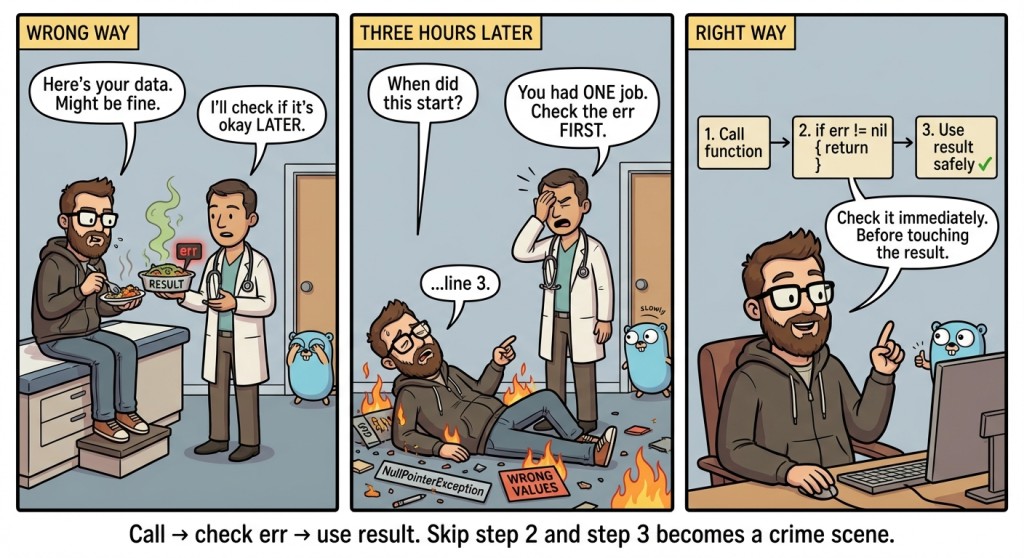
This idea is so fundamental that in many discussions about Go errors it gets repeated like a mantra: an error is part of the normal control flow—just a separate branch.
Let us look at a micro-template:
package main

import (
	"fmt"
	"strconv"
)

func main() {
	s := "42x"

	n, err := strconv.Atoi(s)
	if err != nil {
		fmt.Println("this is not a number:", s) // this is not a number: 42x
		return
	}

	fmt.Println("n + 1 =", n+1)
}
Notice an important “psychology” of the code: while err != nil, we do not pretend we got a number. We choose the safe path: tell the user and exit.
if with an initializer: fewer “extra” variables
Sometimes beginners write it like this: declare n, then err, then something else—and suddenly main turns into a warehouse of boxes. Go has a convenient form: an initializer in if, which lets you create temporary variables right inside the condition and limit their scope.
This is especially nice for parsing and reading: “try → check → either an error, or keep going”. And most importantly: the variables n and err do not spread across the entire main; they live exactly where they are needed.
Example:
package main

import (
	"fmt"
	"strconv"
)

func main() {
	if n, err := strconv.Atoi("100"); err != nil {
		fmt.Println("parsing error:", err)
	} else {
		fmt.Println(n + 1) // 101
	}
}
Here it is important to remember: n and err exist only inside if/else. If you need the number later in the program, declare the variable ahead of time (we have already discussed this in the topic about scopes).
4. Example: bill-and-tip calculator
Now we will assemble a small console app that does a useful everyday thing: it calculates the final amount on a bill including a tip. The example is intentionally simplified: the closer to reality, the faster your brain stops treating err as “something abstract from a tutorial” and starts treating it as “a way not to break the program”.
As we improve it, we will not “invent new constructs”; we will apply what we already know: fmt.Scan, Atoi, if/else, and today’s hero—if err != nil. In the end, we will get a program that does not crash on the first malformed input.
Version 1: “winging it”
Let us start with a version that compiles and even sometimes works. It reads two strings: the amount and the tip percentage. Then it tries to convert them into numbers. We ignore errors, because “well, the user is a normal person... probably”.
package main

import (
	"fmt"
	"strconv"
)

func main() {
	var billStr, tipStr string
	fmt.Scan(&billStr, &tipStr)

	bill, _ := strconv.Atoi(billStr)
	tipPercent, _ := strconv.Atoi(tipStr)

	total := bill + bill*tipPercent/100
	fmt.Println(total)
}
The problem with this version is not that it is “bad style”. The problem is that it lies to your face: if the user typed billStr = "abc", then Atoi returns an error, and bill becomes 0. And you get “total 0”, even though you should have said: “invalid input”.
Version 2: check Scan and Atoi
Now let us do it “like adults”: after each potentially failing operation, check the error. Also, we handle reading errors and conversion errors separately—these are different problems, and it is useful for the user to understand where exactly everything broke.
package main

import (
	"fmt"
	"strconv"
)

func main() {
	var billStr, tipStr string
	_, err := fmt.Scan(&billStr, &tipStr)
	if err != nil {
		fmt.Println("input error: need 2 values")
		return
	}

	bill, err := strconv.Atoi(billStr)
	if err != nil {
		fmt.Println("bill amount must be an integer")
		return
	}

	tipPercent, err := strconv.Atoi(tipStr)
	if err != nil {
		fmt.Println("tip must be an integer")
		return
	}

	total := bill + bill*tipPercent/100
	fmt.Println("total:", total)
}
Notice the effect: the code got longer, but the behavior got more predictable. We no longer “guess” what is in bill. We know for sure: either it is a number, or we have already exited the program.
And this is exactly why the pattern if err != nil is so common: Go prefers explicitness and control over execution flow. In discussions about Go errors, people emphasize that this style may seem noisy, but it makes potential failure points visible right in the code.
Version 3: add validation
There is one more important point. An error (err) says: “the operation failed”. But even if the operation succeeded, the data can be logically invalid. For example, a tip of -10% or a bill amount of -500. This is not an Atoi error—it is a meaning/business-rule error.
Validation is done with a regular if, because this is our business logic: what values we consider acceptable.
package main

import (
	"fmt"
	"strconv"
)

func main() {
	var billStr, tipStr string
	_, err := fmt.Scan(&billStr, &tipStr)
	if err != nil {
		fmt.Println("input error: need 2 values")
		return
	}

	bill, err := strconv.Atoi(billStr)
	if err != nil {
		fmt.Println("bill amount must be an integer")
		return
	}
	if bill < 0 {
		fmt.Println("bill amount cannot be negative")
		return
	}

	tipPercent, err := strconv.Atoi(tipStr)
	if err != nil {
		fmt.Println("tip must be an integer")
		return
	}
	if tipPercent < 0 {
		fmt.Println("tip percentage cannot be negative")
		return
	}

	total := bill + bill*tipPercent/100
	fmt.Println("total:", total)
}
Here we get a very healthy structure: first we make sure input is readable at all, then that it parses, then that it makes sense, and only then do we compute the result.
Flow diagram: where if err != nil lives
To avoid perceiving checks as “noise between lines”, it helps to see them as a fork in the execution flow. Here is the same read → parse → compute → print diagram, but with a proper error branch:
flowchart TD
    A[read: fmt.Scan] -->|err == nil| B[parse: strconv.Atoi]
    A -->|err != nil| E[report the error and exit]
    B -->|err == nil| C[compute]
    B -->|err != nil| E
    C --> D[print result]
And that is why Go likes if err != nil: it turns “failure” into a normal, readable branch—without hidden jumps and surprises.
Why Go does not have try/catch: the benefit of explicitness
For many people coming to Go from languages with exceptions, the first reaction to if err != nil is: “why is this so verbose?”. A fair reaction: before, you could write “do one-two-three, and if anything happens—catch the exception”. Go’s approach is different: errors are values, and the programmer decides what to do with them.
Yes, this can mean lots of checks. In discussions about syntactic support for errors (which gets proposed from time to time), people acknowledge that a pattern like x, err := call(); if err != nil { ... } can indeed “crowd out” the useful code—especially when error handling is trivial. But there is a practical upside: at every place where something can break, the code contains an explicit “beacon”. As a result, when you read the program, you can see all risk points in advance.
There is also a very down-to-earth bonus: if you discipline yourself to check err immediately, your errors are more often local and understandable. You do not chase mysterious consequences of “something went wrong somewhere earlier”; you stop at the first problematic spot while the context is still fresh.
5. Common mistakes when working with if err != nil
When you are just starting to write error checks, your brain sometimes treats them like “noise” and tries to “skip past” them. That is normal: the habit is formed through repetition. Below are the most common rakes beginners step on, and why they are truly dangerous.
Mistake #1: ignore err, because “everything worked in the examples”.
While you test with perfect input, it seems like errors are rare. But as soon as a human (or an autotest specifically trying to break your program) provides input, err turns from a “formality” into the only way not to get garbage data. Ignoring an error in Go almost always means you allowed the program to keep running in an unknown state.
Mistake #2: check the error, but still use the result as if everything is OK.
Sometimes you see logic like: “if there is an error—I will print a warning... but I will still compute”. This almost always leads to weird totals. If parsing failed, the number in the variable will usually be 0 (or another zero value), and you will get a plausible but wrong result. If you already checked err != nil, then in that branch you must stop the normal scenario: return, an alternative value, re-prompt for input—anything, but not “continue as if nothing happened”.
Mistake #3: check err too late.
If you called Atoi, then did a few more computations, and only then checked err, you have already built a house on sand. The right habit is to check immediately, while you still know exactly which call the error belongs to and which data can be considered valid.
Mistake #4: mix up err == nil and err != nil.
It sounds funny (and a bit painful), but in practice it happens all the time—especially when someone is tired and writing the same pattern for the tenth time. A good trick is to say it out loud: “if err is not nil, there is an error”. And keep the error-handling branch as short as possible so you do not get confused.
Mistake #5: mix “operation error” and “bad data by meaning”.
Atoi only answers whether a string is a number. It does not know that “the tip percentage cannot be negative” or that “age cannot be 1000”. So after a successful parse you need separate if statements for logical validation of values. This is not a replacement for the err check—it is the next layer of defense.

GO TO FULL VERSION