1. How to turn a wish into a technical task
“‘A worldwide earthquake radar… Big in scope!’” Alex says. “But what exactly does it show? Just a point on a map?”
Tommy opened his mouth. Closed it. A point. Well… where it shook. Said aloud, it would have sounded pretty weak, so he stayed silent.
“Exactly,” Alex continues. “‘Somewhere’ and ‘somehow.’ That, bro, is not a task. That’s a mood.”
Tommy snorted. His mood was ready for action. But what exactly to do by hand was hazy.
“Look. There is a wish, and there is a task. ‘I want a radar that shows earthquakes live’ is a wish. Nice, but Sam can’t do anything with that. A task sounds different: we need these specific data for each tremor, get them from there, and if there is no data — behave like this. Do you see the difference? The first is fantasy. The second is something you can work with.”
“So my words right now are basically ‘go there, no idea where, bring that thing, no idea what’?”
“Exactly. And to make sure it lands, imagine you’re ordering food. You wouldn’t write to the courier, ‘bring me something to eat’?”
“Well, yeah. Write it like that, and you’ll get some cold soup I won’t touch.”
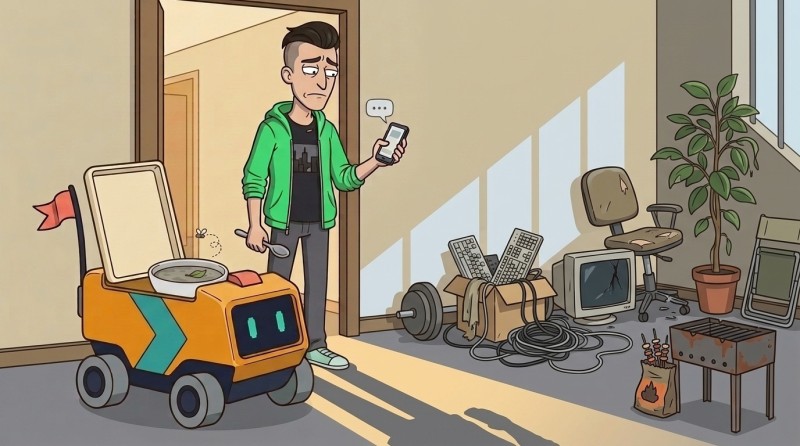
“And you’d only have yourself to blame. A proper order has three things: what exactly you want, where to get it, and, just in case, what to do if it falls through — the kitchen is closed, the dish is sold out. Although I’m getting ahead of myself.”
Tommy caught himself nodding at the chat. Courier, kitchen, “if it falls through” — in his head, he substituted his radar for the food, the data service for the restaurant, and everything started falling into place.
2. What data fields are, and how to choose them
“Let’s continue.” Alex starts a short note next to the project and gives it a name: DATA_REQUEST. “This is the order form. What we want to get and why. So we don’t have to keep it in our heads.”
And that’s it. Then he falls silent. Tommy stared at the blank form. Where do you even begin — no clue.
“What should I write here? Where do I start?”
“With fields. And next to each one — why you need it, and what it will show on the screen.”
That was enough. Tommy figured out where to think and pulled the keyboard closer.
“A field,” Alex writes, “is one separate thing about one event. Not ‘all the data about an earthquake, all at once,’ but split into cells. Tremor strength — separately. Location — separately. Time — separately. Like on a form: last name in one box, date of birth in another.”
“Okay. Almost got it. And what should we take?”
“Take only what will actually appear on the screen. If a field won’t end up anywhere on the image, you don’t need it right now. Don’t drag everything in just in case.”
Tommy began sorting through it in his head: an earthquake happened — what do I want to draw about it? Tremor strength. Where and when. To place a point — coordinates. And, probably, depth too. He mentally dropped each field onto the map: fits — take it, doesn’t fit — skip it. Five items fit nicely.
# DATA_REQUEST
SOURCE: public earthquake service
FIELDS: magnitude, place, coordinates, time, depth
“Now justify it,” Alex writes. “Why do you need each one?”
Tommy tapped the line and went from top to bottom:
- magnitude — tremor strength, a number like 4.2. The stronger it is, the bigger the point.
- place — where it happened, in words: “120 km southwest of Akari, Peru.” A caption, so humans can read it.
- coordinates — a point on the globe in numbers. Without them, it’s not clear where to place the marker.
- time — when it shook. From that we’ll figure out how many minutes ago, that is, how fresh it is.
- depth — how deep the focus is. Minor detail, but let it be there.
“There,” Alex replies. “Hear yourself? Not ‘give me something real,’ but five concrete fields, and under each one — why. That’s no longer a wish.”
Tommy shrugged — but he couldn’t keep from smiling. He was even a little embarrassed: five minutes ago he was spewing total nonsense, and now he was speaking like someone who knew what he was doing.
“The form says WHAT we ordered,” Alex continues. “Now the second half: WHERE each field will land on the screen. Otherwise, the data will just stay numbers, with nowhere obvious to go.”
Another unfamiliar name drops into the chat — DATA_SCHEMA-lite.
“This is about ‘what it will look like.’ You take it from here. Think!”
Well, okay — so again, it’s on me. Magnitude — what is that on the screen? Size. Freshness — brightness. Coordinates — where to stick it. Tommy typed three arrows:
# DATA_SCHEMA-lite
· magnitude → point size
· freshness (minutes ago) → brightness
· coordinates → position on the map
He reread it. It reads like a menu: strong tremor — large point, fresh — bright, old — dim, and the location is set by coordinates. While typing “magnitude → point size,” he could see the picture in his head. Not a line, but the point itself: large, bright, on a dark map. And “time → brightness” — the same points fading before his eyes: this one is fresh, this one is already old.
Points of different sizes and brightness were already hanging in front of his eyes.
“Beautiful,” he said out loud.
“Beautiful,” Alex agrees.
3. Setting the behavior when the source fails
“Now tell me,” Alex continues. “What will the radar show if the data service doesn’t respond? It’s frozen, it got hit by load, the internet blinked — anything can happen.”
Tommy opened his mouth with a ready “well…” and froze.
“Nothing?”
“Careful here,” Alex writes. “Silence comes in two kinds, and it’s easy to mix them up. The first: there simply are no new tremors in the world right now. Quiet, calm, all honest. The second: the service didn’t respond — the connection dropped, the server took a nap. That’s completely different. If you don’t distinguish them, the radar will either lie ‘all calm’ when in fact it just couldn’t get through, or it will start panicking for no reason.”

“So an empty white screen is not an option at all?”
“Not an option. For this case, we add one more line to the order — plan B.”
Tommy added it to the form:
FALLBACK: service is silent → keep the latest snapshot + badge “waiting for fresh data”“Either show the last picture that managed to arrive,” Alex says, “or honestly write ‘waiting for fresh data.’ But not a white screen. And don’t lie as if the data were always there.”
Tommy leaned back in his chair. Before, it had all been simpler: the code runs — so it works, everything is in place. But this is different. It turns out that the more alive a thing is, the easier it is to break: you hook a pretty picture up to someone else’s service — and hello, white screen as soon as it goes quiet. So what to do in silence has to be decided in advance. Not when the screen has gone dark, but before that.
“So that means I have to take all this into account right away?” he says. “Not later?”
“Right away. Later will be too late.”
“By the way,” Alex adds, almost offhandedly. “The place where we’ll get the data. That is not ‘the internet’ in general, but a specific service that can answer specific requests. It’s called API. For now just remember the word; we’ll come back to it later.”
Tommy mentally relabeled it. Before, in his head, it was a vague “somewhere on the net.” Now — “there is a specific API outfit that knows about earthquakes.” For now, just remember it.
“And one more thing.” Alex turns serious for a second. “When you connect to real services, there will be things you can’t throw into the chat for the agent. No horror stories — just remember this for the future: soon there will be keys and passwords, and you have to handle them very carefully: not like ordinary text.”
“Keys. Got it, don’t paste them in.”
“Yep.”
Tommy looked at both forms again. Half an hour ago he couldn’t come up with anything beyond “random data.” And now on the screen were five fields, a scheme for how they would become points, and a line about what to do if the service choked. Earthquake Radar was no longer just a pretty name: it was already something you could hand over to Sam to work on. Almost.
Only one question remained, and it stuck like a splinter: how would my code even reach that service?
flowchart LR
  W["Wish:
a live radar"] --> R
  subgraph R["DATA_REQUEST"]
    direction TB
    R1["SOURCE — where to get it:
a specific service (API)"]
    R2["FIELDS — what exactly,
each with a why"]
    R3["FALLBACK — if the service is silent:
latest snapshot + “waiting for fresh data”"]
  end
  R --> S["DATA_SCHEMA-lite:
where a field
lands on the screen"]
  S --> T["The task is almost ready.
Left: how will the code
reach the service?"]

GO TO FULL VERSION