1. Getting to know commands
If you once imagined a programmer’s work as something incomprehensible and mysterious, it’s time to bust that myth! Programming is not a secret art—it’s a fantastic and very interesting job. And you’re about to see that for yourself.
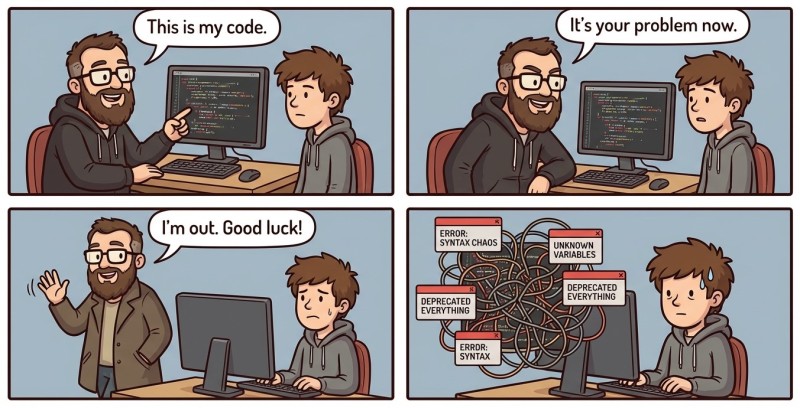
Computer programs are written using programming languages—special rules and words that a computer can understand. Today you will get acquainted with the Go language: you will write your first program, figure out what commands are, and make the computer obey you (as much as it feels like, of course).
A program is a set (list) of commands. First the first command is executed, then the second, the third, and so on. When all commands are executed, the program ends.
    flowchart LR
    A([🚀 Program starts]):::start
    B[Command 1]:::cmd
    C[Command 2]:::cmd
    D[Command 3]:::cmd
    E[...and so on]:::dots
    F([✅ Program finishes]):::finish

    A --> B
    B --> C
    C --> D
    D --> E
    E --> F

    classDef start fill:#E1F5EE,stroke:#0F6E56,color:#04342C,font-weight:500
    classDef finish fill:#FAECE7,stroke:#993C1D,color:#4A1B0C,font-weight:500
    classDef cmd fill:#EEEDFE,stroke:#534AB7,color:#26215C,font-weight:500
    classDef dots fill:#F1EFE8,stroke:#888780,color:#444441,font-style:italic

Which commands can appear in a list depends on who executes them—more precisely, which commands the performer knows (and understands). You can give a dog the command “Sit” or “Speak”, a cat—“Shoo!”, a person—“Stop!”, and a robot—“Work!”.
A command is a simple instruction to the computer: do this! The most important thing is that the computer does exactly what you told it to do, not what you meant. At least until artificial intelligence grows up.
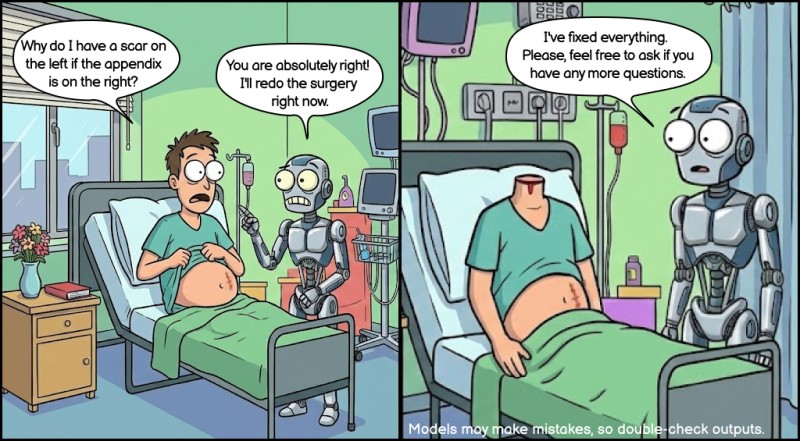
The set of commands in Go is quite extensive. For example, this command can print a message to the screen:
fmt.Println("A robot is a friend of humans")This command tells the computer: “Print the text "A robot is a friend of humans" to the screen”.
If you want the computer to print your phrase three times, give it the command several times.
A program of three commands:
fmt.Println("A robot is a friend of humans")
fmt.Println("A robot is a friend of humans")
fmt.Println("A robot is a friend of humans")As a result, the computer will print the phrase 3 times. Simple.
2. Structure of a typical program
Any program is a set of commands, but the computer needs to know which command to start with. In Go, there is almost always a single entry point: the main function. It’s like the “Start” button on a microwave: you can pick modes for a long time, but until you press it—nothing happens.
A minimal Go program is one file that contains the main package and a single main() function:
package main

func main() {
}There are three important elements here: package main, the name main, and the block { ... }. Let’s go through each one.
- package main is the package name. If the package is named main, Go understands: this file is a program.
- func main() means this is a function named main. The parentheses () are required—this is how Go sees that it’s a function.
- Curly braces { ... } define a code block—a container for commands that are executed sequentially. For main, the block is required: it is literally the “body of the program”.
A useful habit at the beginning is to format main so that the braces are neat and easy to read:
package main

func main() {
    command1
    command2
    command3
}The idea is: everything inside {} runs from top to bottom.
3. Connecting functions
If you don’t know how to write your own functions yet, you can use someone else’s. Go has a large standard library for all kinds of situations.
Suppose you want the program to print something to the screen. Then you need the fmt package (from the word format—“formatting”). To use it, you need to connect it via import.
It looks roughly like this:
package main

import "fmt"

func main() {
  fmt.Println("A robot is a friend of humans")
  fmt.Println("A robot is a friend of humans")
  fmt.Println("A robot is a friend of humans")
}Everything here is very simple:
- import ... means to connect a package (library) to use its capabilities;
- "fmt" is the package name.
No magic. The magic will come later.
4. Writing and running your first program
Why put off a good thing until later? It’s time to move from theory to practice! Let’s write the first Go program.
Step 1: open WebIDE
Open WebIDE and write a program that prints the message "It's cool to be a programmer!" to the screen.
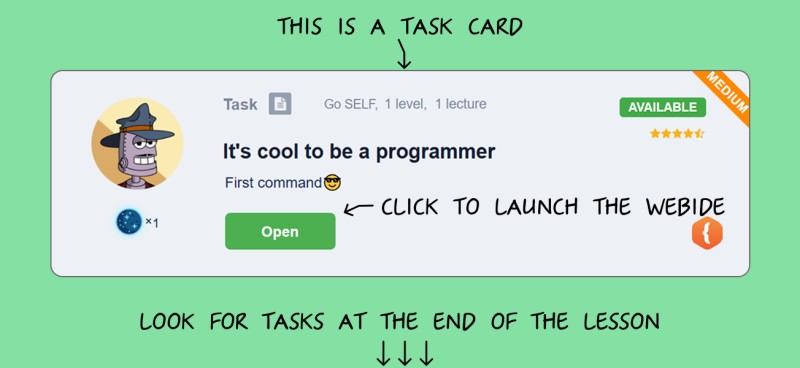
You should have a file named main.go open.
Step 2: write the following code there
You can write plain text—Go has excellent Unicode support.
package main

import "fmt"

func main() {
	fmt.Println("It's cool to be a programmer! 😎")
}Step 3: submit the program for checking
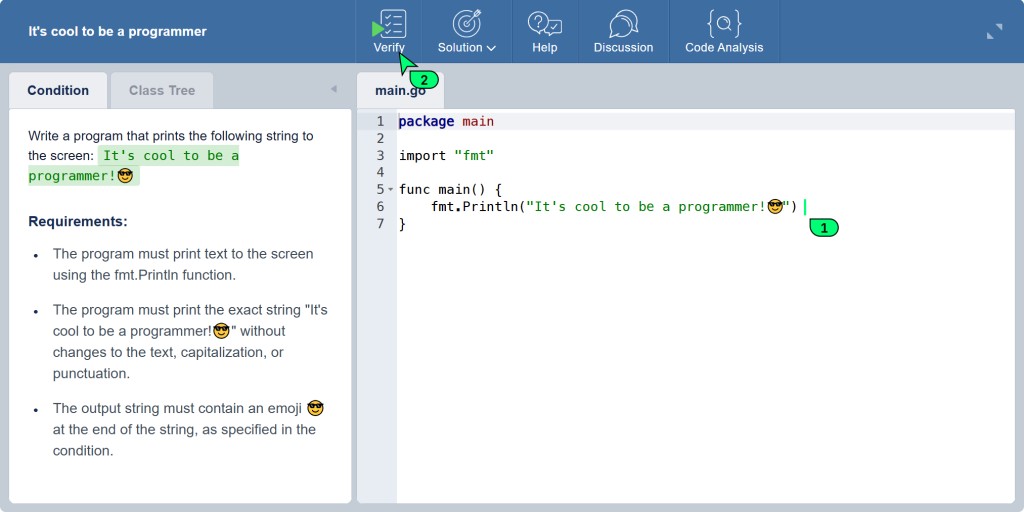
At the top of the WebIDE toolbar you will have a button "Check". Click it.
If you did everything correctly, the server will accept your solution and congratulate you.
In the "Output" window you should see:
It's cool to be a programmer! 😎You have just written and successfully submitted your first program in Go. Nice, right? Now you are a real programmer (well, at least one step closer to that title).

GO TO FULL VERSION