1. Variables and boxes
Variables are special things for storing data. Any data. In Go, data in a program is stored using variables. Conceptually, a variable most of all resembles a box: a perfectly ordinary box.
Suppose you wrote the number 13 on a piece of paper and put that paper into a box. Now we can say that “the box stores the value 13”.
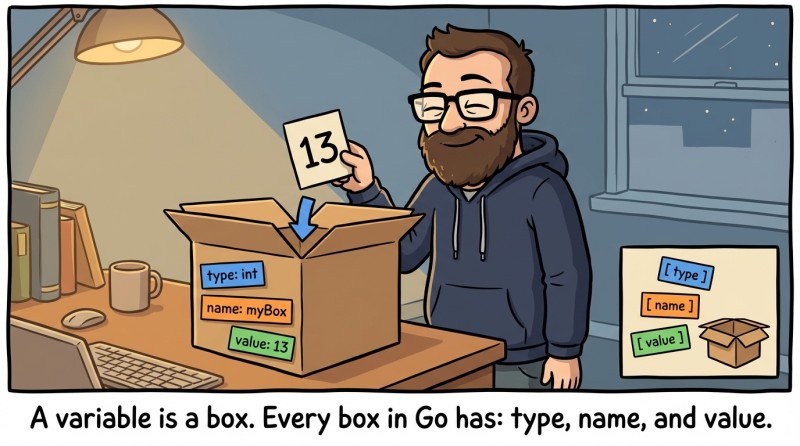
Each variable in Go has three important properties: type, name, and value.
The name is used to distinguish one variable from another. It’s like the label on a box.
The variable’s type determines what values/data it can store. A cake box stores a cake, a shoe box stores shoes, and so on.
The value is some data or information that is stored in the variable.
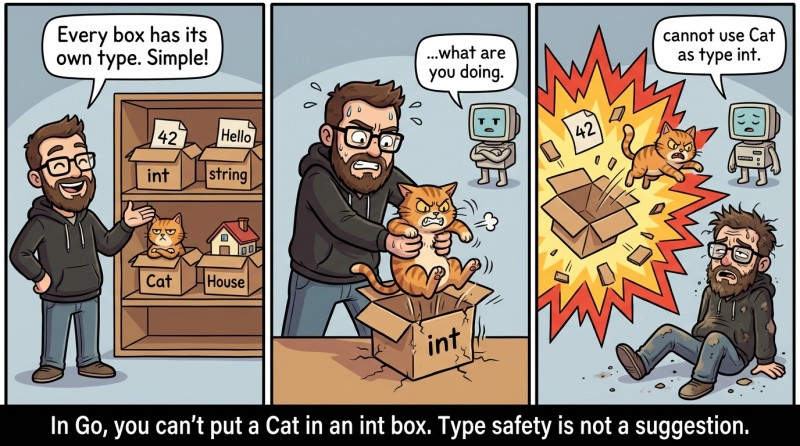
Every value in the Go language has its own type. For example, you can have these data types: integer, floating-point number, text, Cat type, House type, and so on.
Each variable (box) also has its own type. A variable can store only values of the same type as itself. Different boxes are used to store different things: a candy box, a carton for a dozen eggs, etc. Just like in real life.
2. Creating a variable
In the Go language, to create a variable, a command of the form below is often used:
var name typeWhere type is the variable’s type (it matches the type of values the variable can store). And name is the name of the variable.
Examples:
| Creating a variable: name first, then type. | Description |
|---|---|
|
Create a variable named a of type int. |
|
Create a variable named s of type string. |
|
Create a variable named c of type float64. |

The two most commonly used types are integers (denoted by the word int) and text (denoted by the word string). The type float64 is also popular—it represents fractional (floating-point) numbers.
3. Assignment
As mentioned above, a variable has a name, a type, and a value. We’ve already covered name and type, but what about the value? How do you put a value into a variable?
To put a value into a variable, there is a special operation—the assignment operation. It copies a value from one variable to another. It does not move it; it specifically copies it. Like a file on disk. Assignment looks like this:
name = valueWhere name is the variable name, and value is the value that will be stored in the variable. The value can be a literal, the name of another variable, or even some expression that uses variables.
Examples:
package main

import "fmt"

func main() {
	var i int        // Variable i is created
	var a, b int     // Variables a, b are created
	var x int        // Variable x is created

	i = 3            // The value 3 is assigned to variable i.

	a = 1            // The value 1 is assigned to variable a.
	b = a + 1        // The value 2 is assigned to variable b.

	x = 3            // The value 3 is assigned to variable x.
	x = x + 1        // On this line, x is increased by 1; x is now 4.

	fmt.Println(i, a, b, x)
}
Equals sign
The equals sign = is used for assignment. This is not comparison, not equality. It is specifically a command to copy the value on the right side of the equals sign into the variable on the left. For comparison in Go, the double equals == is used.
4. Short variable declaration: :=
There’s an even simpler way to create a variable—the short declaration :=. It reads roughly like this: “create a variable and put this value into it.” In this case, Go determines the variable type from its value: if there’s a string on the right, the variable is a string; if it’s a number without a dot, it’s an integer; and so on.
package main

import "fmt"

func main() {
	appName := "SuperApp"
	fmt.Println("App:", appName) // App: SuperApp
}
This is a declaration, and you can’t change a variable’s type after it has been created. This code won’t work:
func main() {
	appName := "SuperApp"
	appName := 123 		// there will be an error: variable appName has already been created
}
Another practical advantage of := early on is that it reduces “noise” in the code. You don’t have to write the type every time when it’s obvious. And it’s not a life hack—it’s an official Go approach.
5. Variable names: what’s allowed and what’s not
Here are some facts that will be useful when creating variables:
- A variable name can be anything (for example, temperature, score, userAge).
- But there are restrictions: it can’t start with a digit, and it can’t match reserved words in Go (for example, you can’t name a variable var or if).
- It can’t contain special symbols other than _.
- Case matters in names (Age and age are different variables).
- Usually the camelCase style is used: the first letter is lowercase, then each word starts with an uppercase letter (userAge, maxScore).
Examples of allowed names:
package main

import "fmt"

func main() {
	x123 := 1
	koteyka := "Murka"
	PI := 3.14
	MAIN_PATH := "c:/"

	fmt.Println(x123, koteyka, PI, MAIN_PATH)
}
Examples of disallowed names:
var 1first = 1          // name cannot start with a digit
var number# = 25        // the # character cannot be used in a name
var name" = "John"      // quotes are not allowed in a name
var pi+e = 5.123        // a name cannot contain +
You’ll learn everything else in future lectures. And now a logic question: how many steps does it take to catch a cat in a box?
6. Cats and boxes
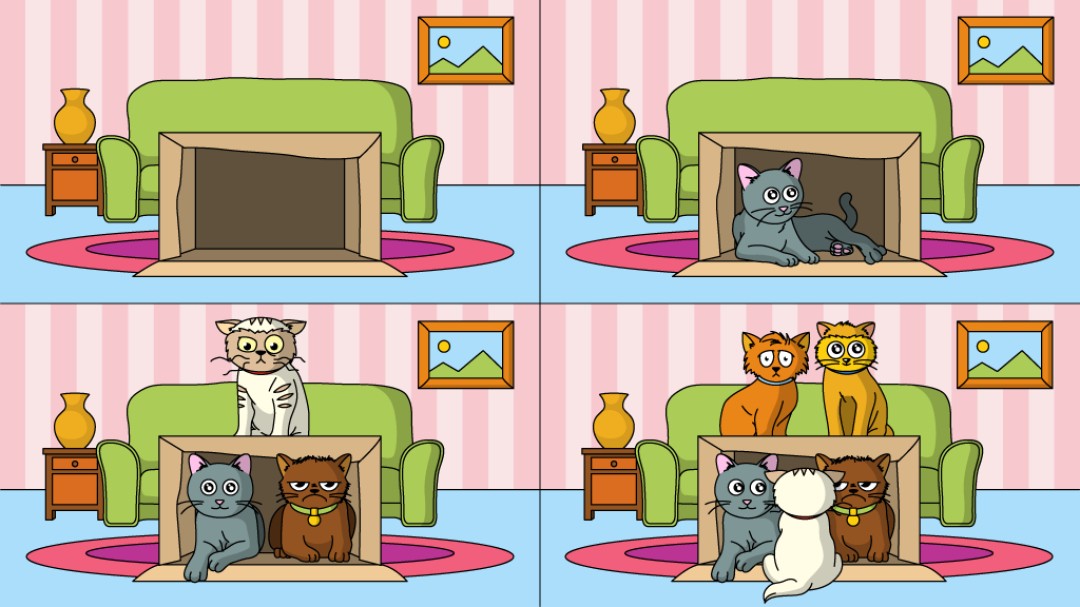
How to catch a cat:
- Take an empty box.
- Wait.
Just kidding 🙂
Well, maybe you can cram as many cats as you want into a box, but you can put only one value into a variable. This is what future tasks will be based on.
7. A brief history of Go
To understand some things in Go, it’s also useful to go back a bit—but not to a single “ancestor,” rather to the real pain of large companies: huge codebases, multicore machines, network services, and the need to build and maintain projects quickly for years.
Go began to be developed at Google in 2007. The authors are Robert Griesemer, Rob Pike, and Ken Thompson. Their goal was very pragmatic: increase development speed and make code maintenance easier in a world where an “ordinary program” is no longer a small utility, but a large service with networking, parallelism, and a pile of dependencies.
One more important motivation (which the authors themselves often mention): they didn’t like the complexity of C++ and how much time and effort goes into “fighting the language” instead of solving the problem. And they wanted to create a replacement for it. That’s why Go was designed as a language with simple syntax, fast tooling, and “one obvious way” to do things.
Go 1.0 was released in March 2012 and has been regularly developed ever since with releases twice a year. For example, Go 1.25 was released on August 12, 2025 and, as the authors emphasize, arrived “six months after Go 1.24”—which is a good reference point for the update cadence.
It’s important to understand: Go did not try to become a “language for every possible case” with a dozen styles to choose from. It deliberately chose simplicity and predictability: clear packages, a single code format, a strong standard library, and convenient tools “out of the box.” And concurrency (goroutine/channel) and safe memory management (GC) made it especially convenient for servers, network programs, and infrastructure.
We don’t need to study the entire history of Go. We’ll write in modern Go (in your course—Go 1.25) and stick to a practical style: clear code, early error checks, minimal magic, and maximum readability.

GO TO FULL VERSION