1. Type string: what it is and why you need it
If numbers answer the question “how many?”, then strings answer the question “what is it called?”. A user name, a city, an error message, a word from input, a piece of text for a report — all of these are strings. And yes, in programming, text appears more often than it seems: even when you print a number, you usually show it to a person as text.
In Go, the text type is called string. A value of type string is a sequence of characters that you can store in a variable, assign, print, and join with other strings.
The simplest way to write a string is a string literal in double quotes:
package main

import "fmt"

func main() {
    fmt.Println("Hello!") // Hello!
}
Note: a string is always in double quotes "...".
Empty string
Sometimes a string exists, but there is “nothing in it”. This is a normal value:
package main

import "fmt"

func main() {
    fmt.Println("") // (empty string, just a newline)
}
An empty string often appears as a “default value” when there is no text yet.
Escape characters: \n, \t, \"
Sometimes we need to insert a newline, a tab, or a quote into a string. For this, special characters are used; they are also called escape sequences. And the process of replacing characters is called escaping.
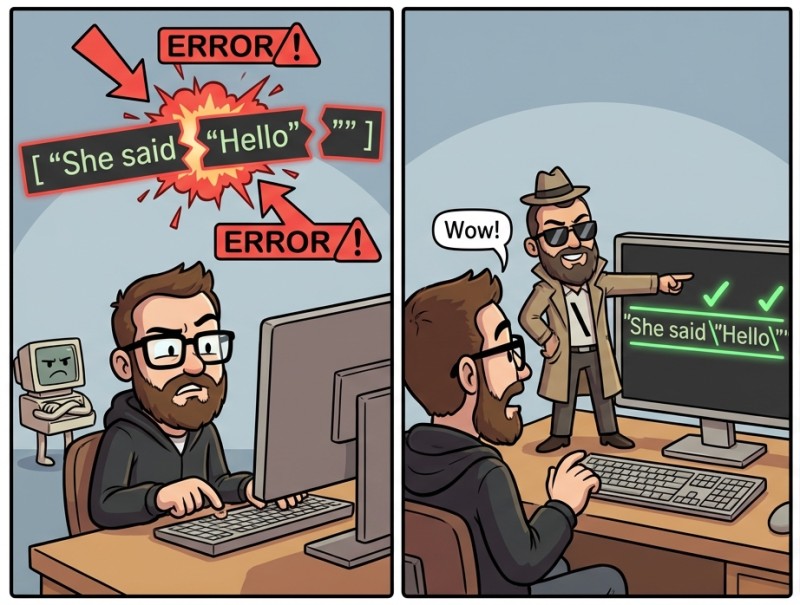
A small table (you do not need to memorize it, just know that “this is possible”):
| Notation | Meaning |
|---|---|
|
newline |
|
tab |
|
double quote inside a string |
|
backslash |
Example:
package main

import "fmt"

func main() {
  fmt.Println("First line\nSecond line")
  // First line
  // Second line
}
A small historical fact for motivation: in the earliest Go prototypes, there were no strings at all, and developers had to assemble a “string” by hand as a byte array — inconvenient, slow, and depressing. So when it feels like string is “too easy”, remember: it used to be worse.
String variables: var and :=
Strings rarely live only as text in code. Usually we want to store text in variables: a name, a title, a message, a piece of a result. Here, both variable declaration approaches you already know will be useful: with var and with :=. The difference is mainly whether you specify the type explicitly and whether there is an initial value.
Let’s start with the short and familiar :=, when the value already exists:
package main

import "fmt"

func main() {
    name := "Ann"
    fmt.Println(name) // Ann
}

And now var, when we want to explicitly say “this is a string”:
package main

import "fmt"

func main() {
    var city string
    city = "Tokyo"
    fmt.Println(city) // Tokyo
}
If you declare var city string and assign nothing, city will contain the empty string "". This is convenient, but it can also be confusing: sometimes it seems like “the data didn’t arrive”, when in fact you just haven’t assigned a value yet.
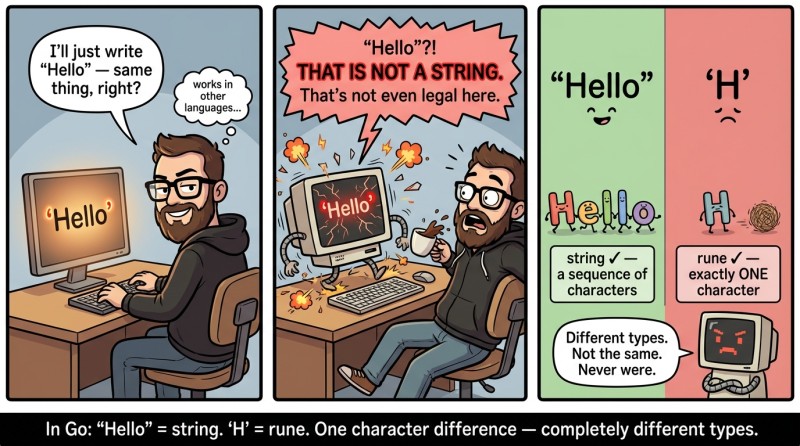
One more important point: in Go, there are characters in single quotes, for example 'A'. But this is not a string. It is a separate type (later it will be called rune), and a string is only "A". For now, it is enough to remember the rule: strings always use double quotes.
2. Concatenation: the + operator as “tape for text”
It is time to learn how to do what almost everyone does in real life: glue pieces of text into one phrase. In programming, this is called concatenation. In Go, strings are joined with the + operator. Imagine that + for strings does not mean “add”, but “stick next to each other”.
Example: let’s build a greeting.
package main

import "fmt"

func main() {
    hello := "Hello"
    who := "Go"
    msg := hello + ", " + who + "!"
    fmt.Println(msg) // Hello, Go!
}
One important thing to notice here: spaces do not appear by themselves. If you want a space, it must be either inside one of the strings or provided as a separate string " ".
For example, this looks ugly:
package main

import "fmt"

func main() {
    a := "Hello,"
    b := "world"
    fmt.Println(a + b) // Hello,world
}
And this is fine:
package main

import "fmt"

func main() {
    a := "Hello,"
    b := "world"
    fmt.Println(a + " " + b) // Hello, world
}
Important limitation: + does not mix types
Go has strong typing: a string is a string, a number is a number. Therefore, an expression like "Age: " + 10 will not compile. For a beginner, this is often the first “oops…”.
3. Printing strings with fmt
Printing strings seems obvious — “well, we already know fmt.Println”. But in practice, printing is what helps you stay sane: you check what is stored in a variable, what you got after concatenation, how many characters there are, and whether there are extra spaces or newlines. So now let’s solidify printing strings in the “right” way — simple and reliable.
Let’s recall two basic variants:
- fmt.Print(...) prints as-is, without an automatic newline.
- fmt.Println(...) prints and adds a newline at the end, and also inserts spaces between arguments.
A small comparison table:
| Function | Adds spaces between arguments | Adds a newline at the end |
|---|---|---|
|
no | no |
|
yes | yes |
Example showing the difference:
package main

import "fmt"

func main() {
    fmt.Print("A")
    fmt.Print("B")     // AB
    fmt.Println("C")   // C (and a newline after C)
}
Printing “mixed” types without concatenation
This is the very method that saves you from trying to do "Age: " + 10:
package main

import "fmt"

func main() {
    name := "Ann"
    age := 20

    fmt.Println("Name:", name, "Age:", age) // Name: Ann Age: 20
}
Here fmt.Println will format age for printing on its own. For training tasks and first programs, this is the calmest path: less fuss, fewer errors, more clarity.
A small habit “for your future self”
When you build a string via concatenation, it is useful during development to print it separately for a while, to see where the spaces, commas, and other details are:
package main

import "fmt"

func main() {
    first := "Ivan"
    last := "Petrov"
    full := first + " " + last

    fmt.Println(full) // Ivan Petrov
}
4. len(s): string length and the “character ≠ byte” trap
In problems, you often need to know the length of a string: how many letters, digits, or at least “how much of something” it contains. In Go, there is a built-in function len(s) for this. It returns a number (type int) that you can print, compare, and use in calculations (later, when conditions and loops appear).
Let’s start with the simplest case:
package main

import "fmt"

func main() {
    s := "golang"
    fmt.Println(len(s)) // 6
}
It may look like len is “the number of characters”. For plain ASCII, it often looks that way. But there is a nuance that is better to learn now than to discover at 3 a.m.: in Go, strings are stored in UTF-8, and len counts bytes. For many non-ASCII characters (for example, Chinese characters or emoji), one “visible character” takes multiple bytes.
An example that is useful to simply see:
package main

import "fmt"

func main() {
    fmt.Println(len("Go"))   // 2
    fmt.Println(len("你好")) // 6 (most likely)
}
Why “most likely”? Because "你好" in UTF-8 usually takes 3 bytes per character: 2 characters → 6 bytes.
Let’s imagine it as a picture (simplified):
"Go"  -> [ 'G' ][ 'o' ] -> len = 2 bytes
"你好" -> [ 你 ][ 好 ]    -> each block ≈ 3 bytes -> len ≈ 6 bytes
Within this lecture, we do not need to know how to “correctly count letters” for every language in the world. What matters is understanding that len is the honest length of a string as a sequence of bytes. For simple training strings, this often “looks like the number of characters”, but it is not an iron law.
5. Mini app: BadgeMaker
So that the knowledge does not remain “in theory”, let’s build a small application that we will evolve as the course goes on. Today it will be as simple as possible: no input, no conditions, no loops — only strings, concatenation, len, and printing. The idea: the program prints a person’s “business card” (badge) and shows the length of the name.
First, let’s assemble the source pieces and glue them together:
package main

import "fmt"

func main() {
    firstName := "Ivan"
    lastName := "Petrov"
    role := "Junior Gopher"

    fullName := firstName + " " + lastName
    fmt.Println(fullName) // Ivan Petrov
    fmt.Println(role)     // Junior Gopher
}
Now let’s add “styling” and the name length. Note: we print the number as a separate argument so we do not try to concatenate a string and an int.
package main

import "fmt"

func main() {
    firstName := "Ivan"
    lastName := "Petrov"
    role := "Junior Gopher"

    fullName := firstName + " " + lastName

    fmt.Println("=== BADGE ===")                  // === BADGE ===
    fmt.Println("Name:", fullName)               // Name: Ivan Petrov
    fmt.Println("Role:", role)                   // Role: Junior Gopher
    fmt.Println("Name length:", len(fullName))   // Name length: 11
}
Notice the number 11: it is the length of the string "Ivan Petrov" in bytes. Here it matches the “number of visible characters”, because all characters are ASCII and the space is also one byte.
If you want to experiment and replace the name with something non-ASCII, the program will not break, but len may surprise you. And this is not an error — it is simply the reality of UTF-8, which we have honestly met.
6. Typical mistakes when working with strings
When you are just starting to work with strings, mistakes are usually not “complicated” but annoying: the wrong quotes, a missing space, the string got concatenated incorrectly, the length “does not add up”. The good news is that this is fixed not by talent, but by attentiveness and the habit of printing intermediate values to see what is really happening.
Error #1: single quotes instead of double quotes.
A beginner may think it is logical to write 'Hello', because “other languages allow that”. In Go, single quotes are not for strings. A string is only "Hello". If you accidentally use single quotes, the compiler will complain, and it is not being picky: it is truly a different data type.
Error #2: lost spaces during concatenation.
Strings are glued literally, without any “auto-cosmetics”. If you write firstName + lastName, you will get IvanPetrov. You must add the space manually: firstName + " " + lastName. This is especially sneaky when you do "Hello," + name and get Hello,Ann. The fix is simple: include the space in the string "Hello, " + name or add " " as a separate piece.
Error #3: trying to do "Age: " + age.
In Go, the + operator does not “guess” how to turn a number into a string. And honestly, that is even good: less implicit magic. At this stage, the easiest approach is: fmt.Println("Age:", age). Later you will learn ways to convert explicitly, but for now our goal is not to complicate your life.
Error #4: expecting len to always be “the number of letters”.
With ASCII, len("abc") == 3, and your brain relaxes. Then you get something like "你好", and len suddenly becomes larger than the number of visible characters. This is not a bug and not “wrong Go”; it is a consequence of storing strings in UTF-8 and the fact that len counts bytes. In the first steps, it is enough to remember: len honestly shows the size of the string, but “size” and “number of letters” are not always the same thing.
Error #5: forgot to import fmt.
It sounds funny, but it is very common: you write fmt.Println, but at the top you forgot import "fmt". As a result, the compiler says that fmt is undefined. A good habit: as soon as you use fmt.something, immediately check that the import exists and is spelled correctly.

GO TO FULL VERSION