1. for as a while
When you first learned about the loop for init; cond; post { ... } (the classic “counter-based” one), it looked like the perfect tool: want to repeat 10 times—repeat 10 times. But real life (and user input) rarely asks you: “Repeat exactly 10 times, please.” More often the scenario sounds like: “Repeat until the user enters 0” or “Repeat until the value becomes large enough”, or “Keep spinning while input exists at all.”
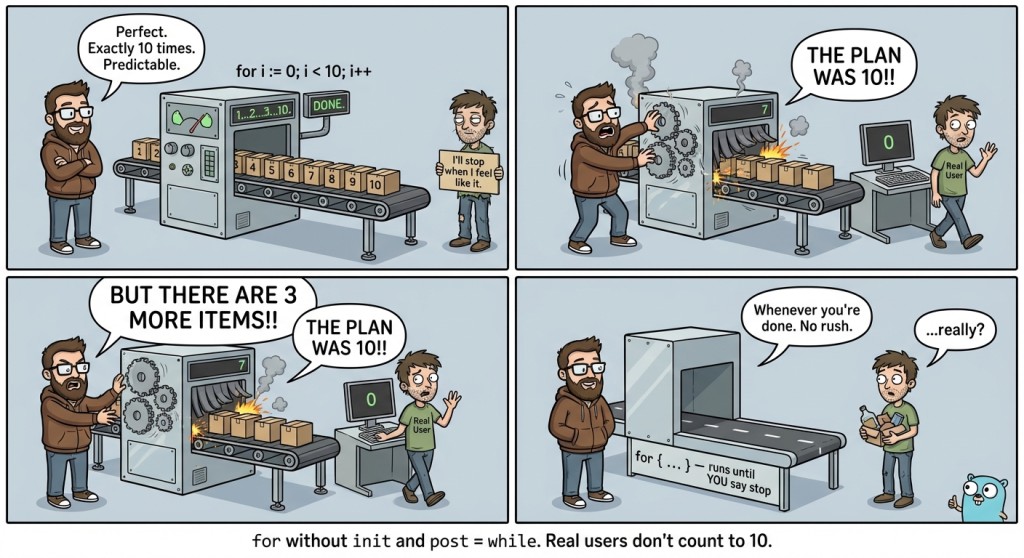
For such cases in Go, you use the same for, just in a different form.
Main idea: Go has no separate while. Instead, you write for with a single condition: for cond { ... }. And an infinite loop is for { ... }, where you exit manually, usually via break.
2. for cond {...}: a “while condition is true” loop
Imagine you are cooking pasta. You do not have a counter like “exactly 17 stirs”. You have a condition: “until it is cooked”. That is exactly what for cond is: we repeat actions while the condition is true.
An important nuance: this loop has no post section, so the “step” that moves you toward completion is done inside the loop body.
Basic example: doubling a number until it is less than 100
package main

import "fmt"

func main() {
	x := 1
	for x < 100 {
		x = x * 2
	}
	fmt.Println(x) // 128
}
The key point here is the line x = x * 2. If you remove it, the condition x < 100 will never become false, and the program will hang. It is like waiting for tea to cool down while constantly reheating the mug.
Execution mechanics of for cond
for x < 100 { ... } works like this:
Check condition → if true, enter body → do the step → return to checking the condition
It is convenient to remember this as a small flowchart:
flowchart TD
    A[Check cond] -->|cond == true| B[Execute loop body]
    B --> C["Change state (step)"]
    C --> A
    A -->|cond == false| D[Exit the loop]
The most common beginner mistake is to write the condition but forget the “step” (state change) that will eventually make the condition false.
3. for {...}: an infinite loop and a controlled exit
Sometimes it is inconvenient to formulate the stopping condition in advance. For example, you read numbers until the user enters 0. Formally, you can write the condition “while not 0”, but often it is simpler to do this: “spin forever, and when we see the stop signal—exit.”

That is where the construct comes from:
for {
    // do something
    // if it's time to finish — break
}
This is not a “bad loop”; it is a normal tool. The main rule: an infinite loop must have a clear, reachable exit point.
Mini-pattern: read numbers until 0
Let’s make a small piece of our application. Let it be a “piggy bank”: the user enters numbers (deposits and expenses), and we sum up the balance. Input 0 means “stop”.
package main

import "fmt"

func main() {
	balance := 0

	for {
		var x int
		fmt.Scan(&x)

		if x == 0 {
			break			// exit the loop
		}

		balance = balance + x
	}

	fmt.Println(balance)
}
Three important things are visible here. First, the loop is infinite because we do not know the number of inputs in advance. Second, the exit is done via break. Third, the loop logic is very linear: read → check “stop” → process.
A bit more reliable: exit on input error
In practice, fmt.Scan may return an error: for example, if a non-number was entered or the input ended. You have already seen the pattern if err != nil { ... }. Let’s apply it.
package main

import "fmt"

func main() {
	balance := 0

	for {
		var x int
		_, err := fmt.Scan(&x)
		if err != nil {
			break
		}

		if x == 0 {
			break
		}

		balance = balance + x
	}

	fmt.Println(balance)
}
This is a very typical Go style: “spin while we can read, and when we cannot—exit.” A similar approach appears in standard data-reading patterns, where the loop continues while the read method returns true, and the error is checked by a separate function afterward.
4. Loop control: break and continue
break and continue are tools that let you control the flow of a loop: either stop it entirely, or “skip over” part of the current iteration.
break: exit the loop right now
break exits the loop. The meaning is simple: do not continue iterations; exit outward.
In an infinite loop, break is almost mandatory: without it you will never stop. But in a for cond loop or in the classic for init; cond; post it is also useful if the answer is found earlier than the iterations are finished.
In the “piggy bank” example we have two independent exit conditions:
- err != nil — we cannot read further;
- x == 0 — the user said “finish”.
This is normal practice: multiple reasons to stop—multiple breaks. To make code easier to read, people usually try to keep these checks short and close to the place where the data was obtained.
continue: skip the current iteration
If break is “finish the loop”, then continue is “finish the iteration”. It does not end the loop; it ends the current iteration: everything below continue in the loop body will not run, and the next iteration will start.
This is useful when part of the input data does not work for us and we simply want to move to the next input/next step.
Example: ignore operations that are too large
Suppose in our “piggy bank” we decide: if the user entered an absolute amount greater than a million, that is suspicious—we will not count such an operation.
package main

import "fmt"

func main() {
	balance := 0

	for {
		var x int
		_, err := fmt.Scan(&x)
		if err != nil {
			break
		}
		if x == 0 {
			break
		}

		if x > 1_000_000 || x < -1_000_000 {	// readable million literal
			fmt.Println("amount too large, skipping") // for example: amount too large, skipping
			continue
		}

		balance = balance + x
	}

	fmt.Println(balance)
}
Notice the order: first we handle reasons to “finish the loop” (break), then reasons to “skip the iteration” (continue), and only then do the main work.
5. The continue trap: you skipped a state update
continue has an unpleasant feature: it can “jump over” important code that was supposed to update state. This is especially dangerous in loops where you manually change a variable tied to the termination condition.
To feel the problem, consider an example where we print numbers from 1 to 5, but want to skip 3. A naive version looks like this (and it is bad):
package main

import "fmt"

func main() {
	i := 1
	for i <= 5 {
		if i == 3 {
			continue // DANGEROUS: i won't increase, the loop will get stuck on 3
		}
		fmt.Println(i)
		i++
	}
}
If i == 3, we do continue, jump to the beginning of the loop, and i++ does not execute. So i will stay 3 forever.
The correct version is to update the state before a possible continue:
package main

import "fmt"

func main() {
	i := 1
	for i <= 5 {
		if i == 3 {
			i++ // do the step before continue
			continue
		}
		fmt.Println(i)
		i++
	}
}
Yes, i++ ended up twice—this looks a bit less pretty, but it works predictably. Later you will more often use the classic for i := ...; ...; i++ { ... }, where the step is guaranteed to run after the body, but today it is important to learn to see where exactly the state change happens.
6. A map of loop forms in Go
Sometimes it is useful not to memorize, but to keep a comparison in front of your eyes.
| Form | When it is convenient | Where the stop condition is | Where the “step” (update) is |
|---|---|---|---|
|
when you have a counter or a fixed number of repetitions | in |
in |
|
when you repeat while a condition holds | in |
inside the body |
|
when you do not know in advance how to describe the condition, or you read input until “stop” | via |
anywhere inside the body |
A practical thought: choosing a loop form is not “taste”; it is a readability question. When the condition is naturally expressed as x < 100—take for cond. When you have a protocol “read until a stop signal arrives”—for {} often ends up being the clearest.
7. Mini-refactor of the “piggy bank”
To make the example look like a small application, let’s add one detail: after each valid input, we print the current balance. This is useful both for UX and for debugging (you can see that the program is alive at all).
package main

import "fmt"

func main() {
	balance := 0

	for {
		var x int
		_, err := fmt.Scan(&x)
		if err != nil {
			break
		}
		if x == 0 {
			break
		}

		if x > 1_000_000 || x < -1_000_000 {
			fmt.Println("amount too large, skipping") // amount too large, skipping
			continue
		}

		balance = balance + x
		fmt.Println("balance:", balance) // balance: ...
	}

	fmt.Println("final balance:", balance) // final balance: ...
}
Pay attention to the order. First we ensure the data “makes sense to work with at all” (not an error, not stop), then we decide whether the operation is acceptable (a filter), and only then we change the state (balance) and print the result. This order makes the loop almost self-documenting.
8. Typical mistakes when working with for cond, for {}, break, and continue
Mistake #1: in for cond you forgot to change the variable from the condition.
A very common situation: you wrote a nice condition (for x < 100), but inside the loop you forgot to do x = x * 2 or x++. As a result, the program “politely” gets stuck forever. A habit that fixes this quickly: find the “stopping variable” with your eyes and immediately check where it changes.
Mistake #2: an infinite loop without a reachable break.
Sometimes break seems to be there, but the exit condition never happens due to the logic. For example, you are waiting for x == 0, but x is never read again, or it is read into a different variable. An infinite for {} loop is not bad by itself, but it requires discipline: the exit points must be clear and realistically reachable with normal input.
Mistake #3: confusing the roles of break and continue.
In simple words, break is “finish the loop”, and continue is “finish the iteration”. Beginners sometimes put continue where they need to stop, and get a loop that keeps reading input even though the user already entered the stop value. The cure is saying it out loud: “Do I want to exit the loop entirely or just skip this step?”
Mistake #4: continue jumps over a state update, and the loop gets stuck.
The trickiest problem: you placed continue, and below it there was i++ or another important operation that should change the condition variable. Because of this, the loop starts repeating the same iteration endlessly. A good habit: in for cond, update state before a possible continue, or rewrite the loop into the classic counter form if that fits the meaning.
Mistake #5: not handling input errors, and the program behaves strangely.
If you read via fmt.Scan and ignore err, the program may “stay silent”, hang waiting for input, or print garbage values when the input unexpectedly ends. Even at this early stage, it is useful to remember a simple rule: if you use input, either check err != nil, or clearly constrain the input format (for example, in problems with tests).

GO TO FULL VERSION