1. University and Courses
JavaRush is not just a programming course, but a true interactive environment for mastering an IT profession. Everything here is thought through down to the smallest detail: from the first steps in “Quests” to community help, plugins for professional IDEs, and its own mobile app 📱.
Now you’ll learn how the platform is built from the inside: where to find theory, how to work with tasks, what “Black Matter” 🖤 is, why surveys are needed, where to find help, and how to keep learning even when you’re not at a computer. But we’ll start with the simplest part :)
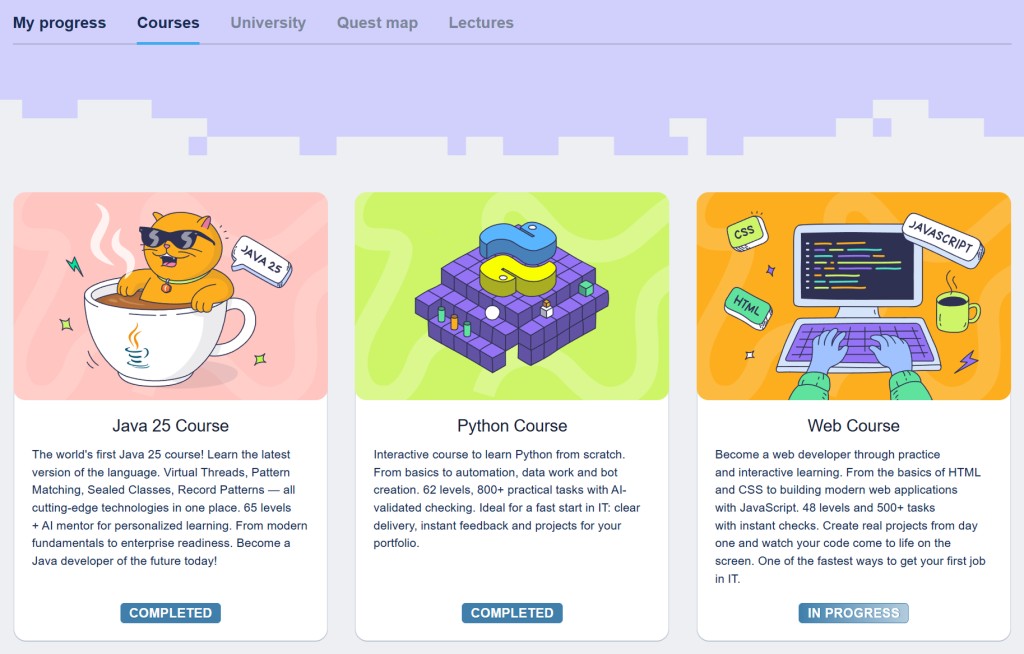
JavaRush has two main learning formats:
- 📚 Courses - self-paced learning;
- 🎓 University - group learning with a mentor.
As of today, 3 professions are available to you in the University format:
- ☕️ Java Fullstack Software Engineer
- 🐍 Python Fullstack Software Engineer
- 🌐 Frontend Fullstack Software Engineer
As well as 6 interactive self-paced courses:
- ☕️ Java Core - a Java course
- 🐍 Python Core - a Python 3.12 course
- 🎨 Web Core - a Web course: HTML, CSS, JavaScript
- #️⃣ C# Core - a course on C# 14 and .NET 10
- 🐳 Docker+Linux - Docker and Linux fundamentals
- 🗄️ SQL+PostgreSQL - a course on SQL and PostgreSQL

2. Modules and quests
If a course is very large, it is additionally split into smaller parts. In JavaRush University, such parts are called modules, and in self-paced courses they are called quests.
All quests (and modules) of your current course are displayed in the Quest Map section 🗺️:
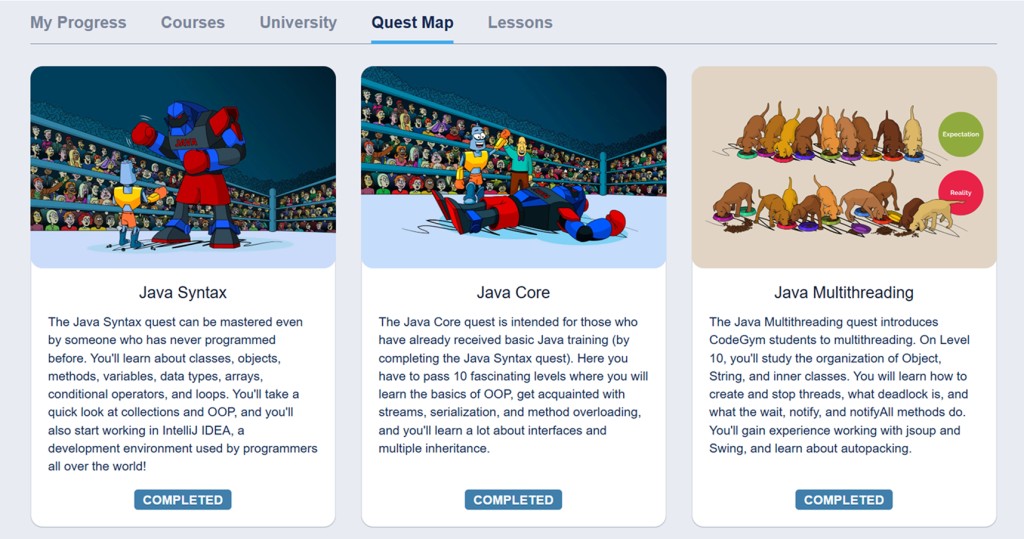
Examples:
The Java course for self-paced learning consists of 4 quests:
- Quest "Java Syntax"
- Quest "Java Core"
- Quest "Java Collections"
- Quest "Java Multithreading" 🤹♂️
The Python Fullstack Software Engineer course consists of 6 modules:
- Module "Python Core"
- Module "Python Fullstack"
- Module "Python Django"
- Module "Python FastAPI"
- Module "Python Final"
- Module "Career Center" 🏆
3. Active course
You can take courses on JavaRush in parallel, but not at the same time.
You can go through multiple courses in parallel, but only one of them will be active. If you want to switch to another course, you need to explicitly change it in the "My learning" section:
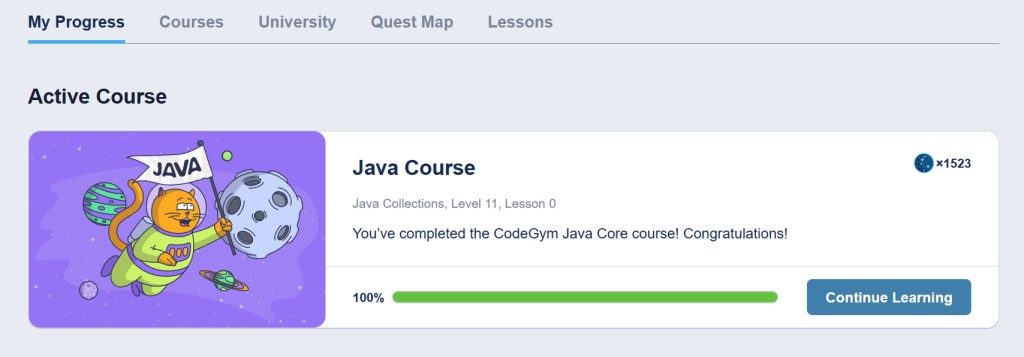
If you want to switch to a course you took earlier, select it from the list and click the “Return to learning” button. After that, it will become your current course.
If you click the “Continue learning” button, you’ll be taken to the last opened lecture of the active course 🚀.
4. Levels and lectures
Each learning course on JavaRush is split into levels, and levels consist of lectures. Lectures include tasks and surveys.
If you click on a quest (or module) in the Quest Map section, you’ll be taken to the personal page of the selected quest. There you will see a description of that quest as well as a list of its levels. Example:
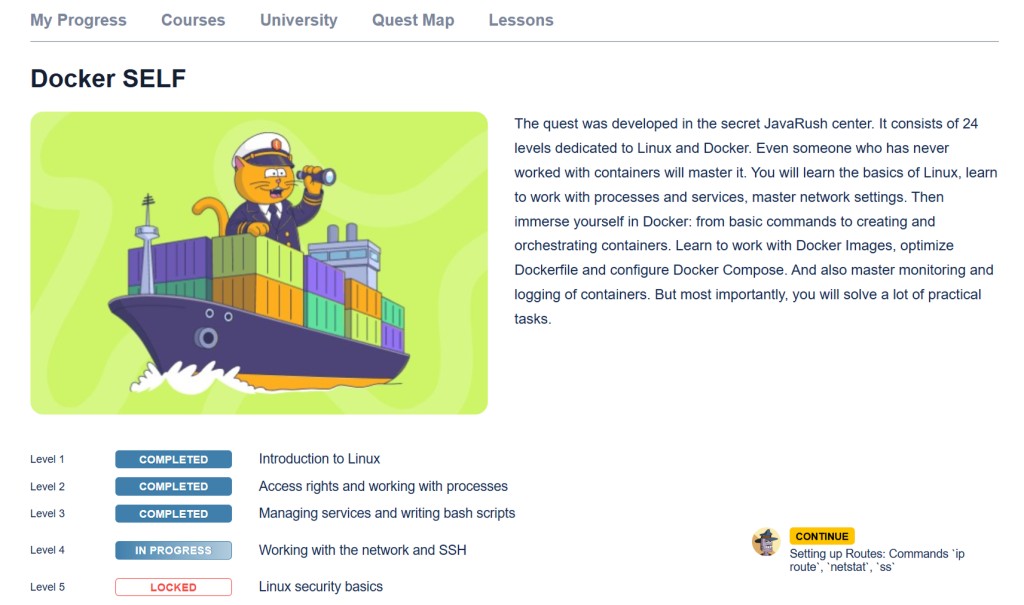
Depending on how many lectures in a level you’ve completed, its status changes: “Unavailable”, “In progress”, and “Completed” ✅.
Also, from this page you can quickly jump to the last opened lecture of the quest - on the right in the image there is a “Continue” button.
5. Level lectures
If you click on the level name, the full list of its lectures will open:
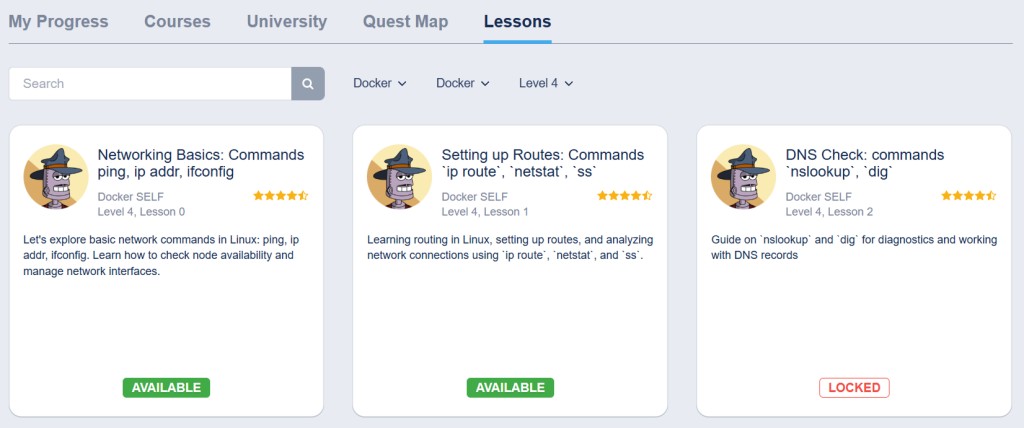
In the image above, you can see all lectures of level 4 of the SQL course. The last opened lecture is 4.1
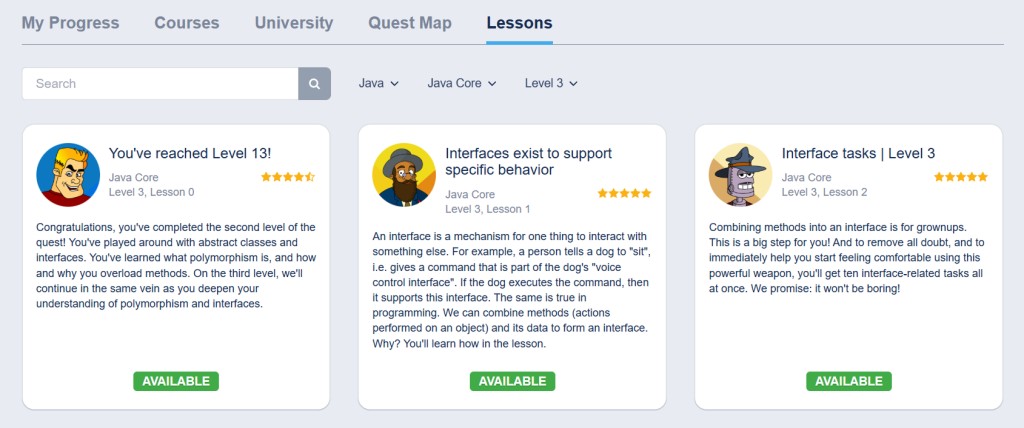
In general, you can reset the filter settings and see lectures from any other course available to you:
6. Gamified format
All course lectures are closed to you by default. To open the next lecture, you need to pay a few units of “Black Matter” 🖤. And you can earn Black Matter by practicing: solving tasks, watching videos, and taking surveys.
Many (but not all) lectures in a course contain tasks. The end of a lecture usually looks like this:
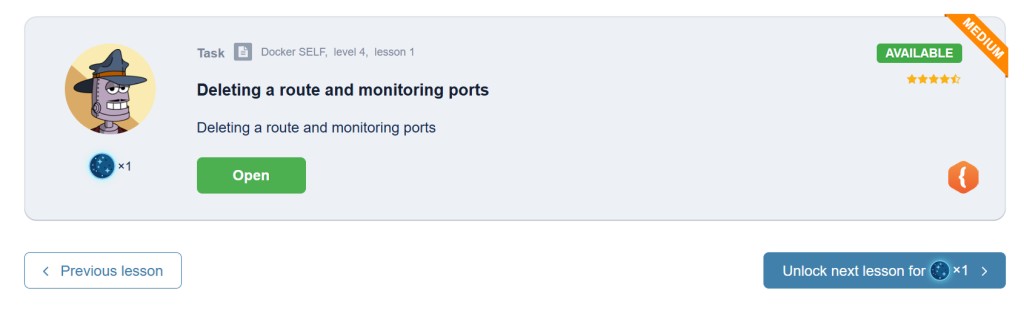
Here you see two practice tasks where you need to write code. For the correct solution to each of them, you will get two units of Black Matter.
You don’t have to solve tasks right away. If you want, you can postpone solving tasks and continue reading lectures. To open the next lecture, you’ll have to spend 1 unit of Black Matter. But you’ll still have to solve the tasks - JavaRush mechanics are designed so that you can’t only read theory and ignore practice.
7. Tasks
If you skipped some tasks or decided to come back to them later, you can always find them in the Tasks section in the left side menu:
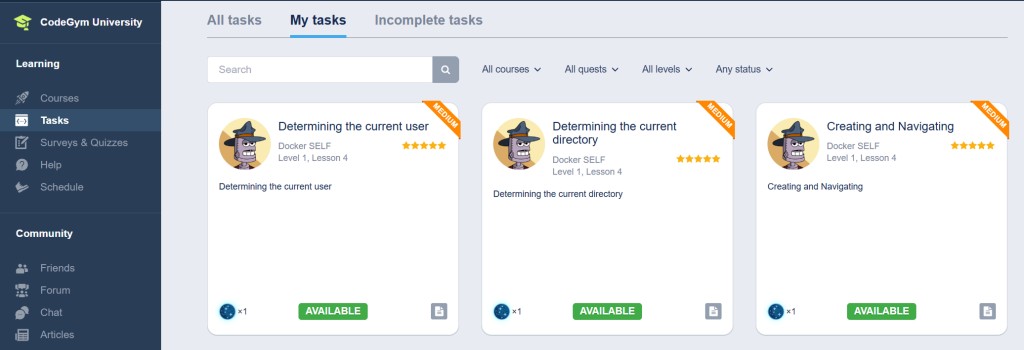
It has three tabs:
- All tasks - literally all tasks in the course
- My tasks - tasks that have already been assigned to you (in lectures you opened)
- Unsolved tasks - your tasks, but without the solved ones.
There are days (or nights 🌙) when you just want to solve tasks. For this, you don’t even need to open lectures. Just go to the tasks section, choose “Unsolved tasks” in the menu, and enjoy.
If you want more details about tasks, there is a separate lecture about Tasks on JavaRush.
8. “Help” section
The JavaRush Help section is a very powerful tool. Our pride 🥇.
There you can ask a question about any of your tasks, and the following will be automatically added to your question:
- 📝 Your task statement
- 📂 Your solution files
- 📊 A list of task requirements and their statuses.
The person who reads your question will have a special IDE where they can view your solution. Example:
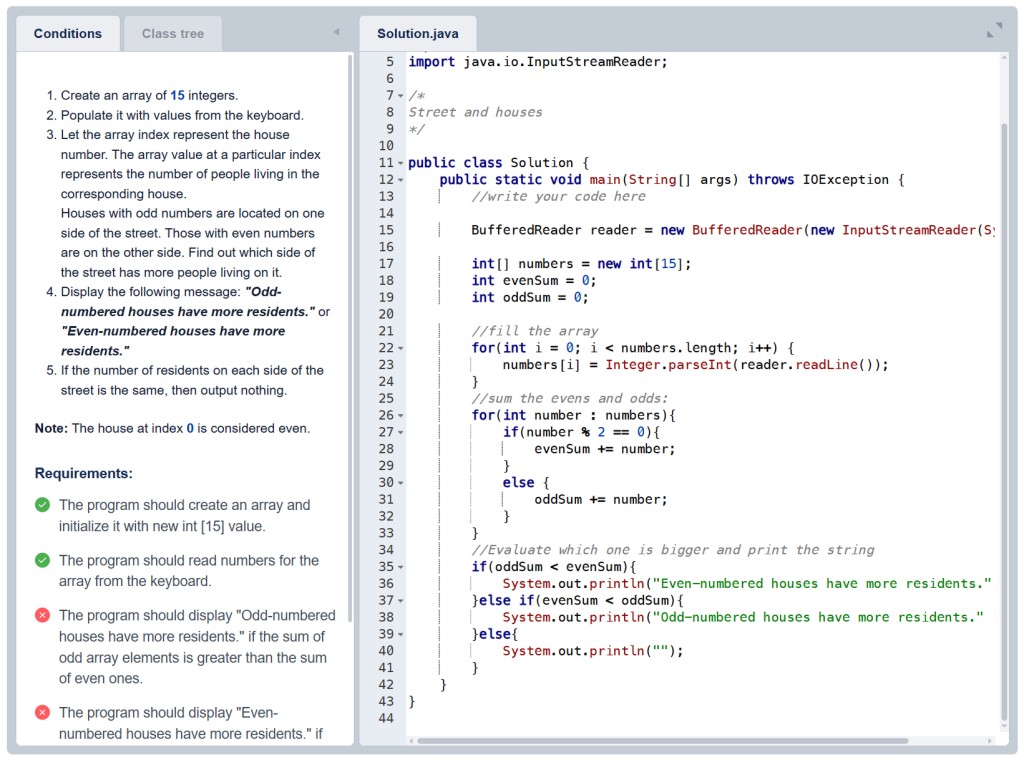
This question format greatly increases the likelihood of a high-quality answer. Under some tasks, entire discussions unfold among forum regulars.
If you’re interested in details, there is a separate lecture about the Help section.
P.S.
We also have a mobile app and excellent plugins for professional IDEs, but they deserve separate lectures.
GO TO FULL VERSION